After Sales Support TEL: 1300 884 987 WEB Support: www.medion.com.au
63
Windows
®
7 – Control Panel
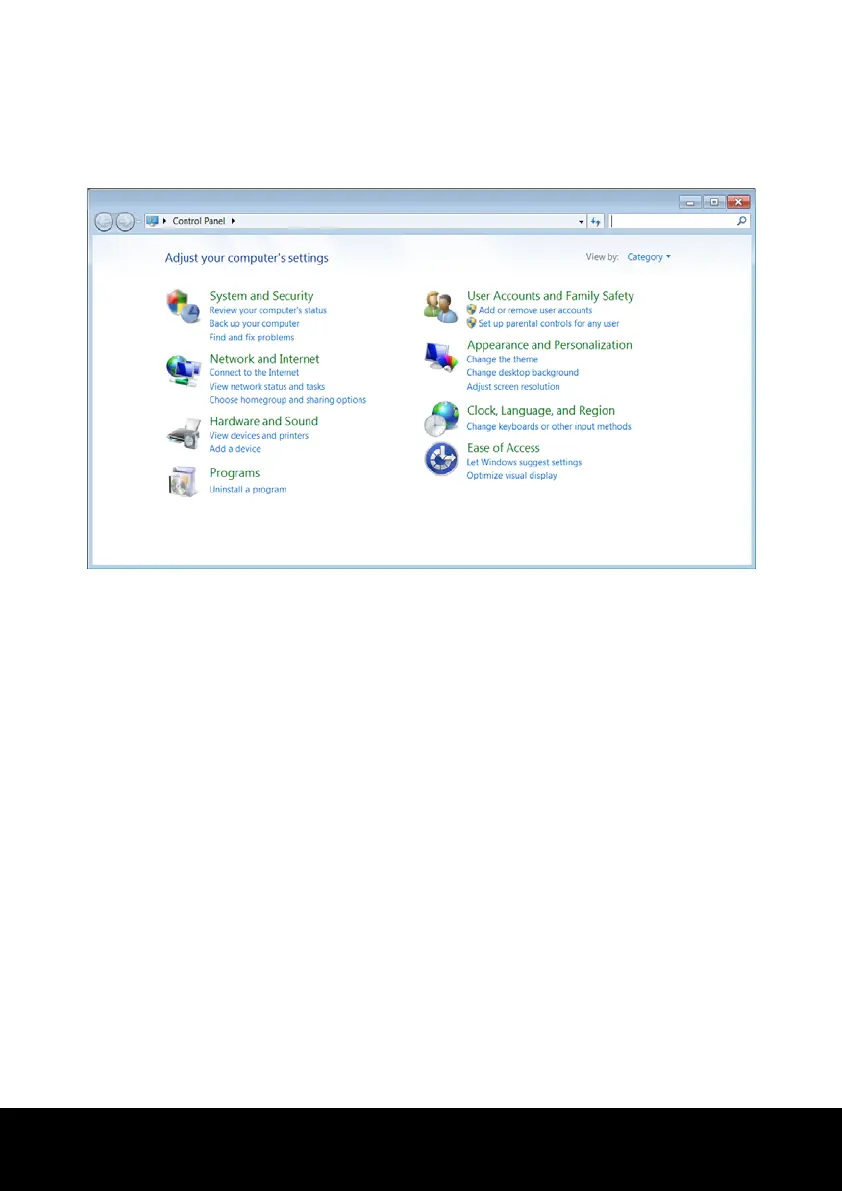
You can change Windows settings using the control panel. The settings control almost
everything relating to Windows displays and functionalities, and they enable you to
organise Windows according to your requirements.
When you first open the Control Panel, a few of the most frequently used elements of the
Control Panel are displayed by category.
For further information on any element in the Control Panel category view, hold the cursor
over the symbol or category name and read the pop-up display text.
To open one of these elements, click on the associated symbol or category name.
For a few of these elements, a list, with executable tasks will open, with a selection of
individual Control Panel elements.
Searching for the desired control elements may be effected in the following ways:
► Enter a word or expression in the search field.
► Click on Large Icons or Small Icons under Display Settings to display a list of all
Control Panel elements.














 To Next Page