After Sales Support TEL: 1300 884 987 WEB Support: www.medion.com.au
32
Removing the Battery
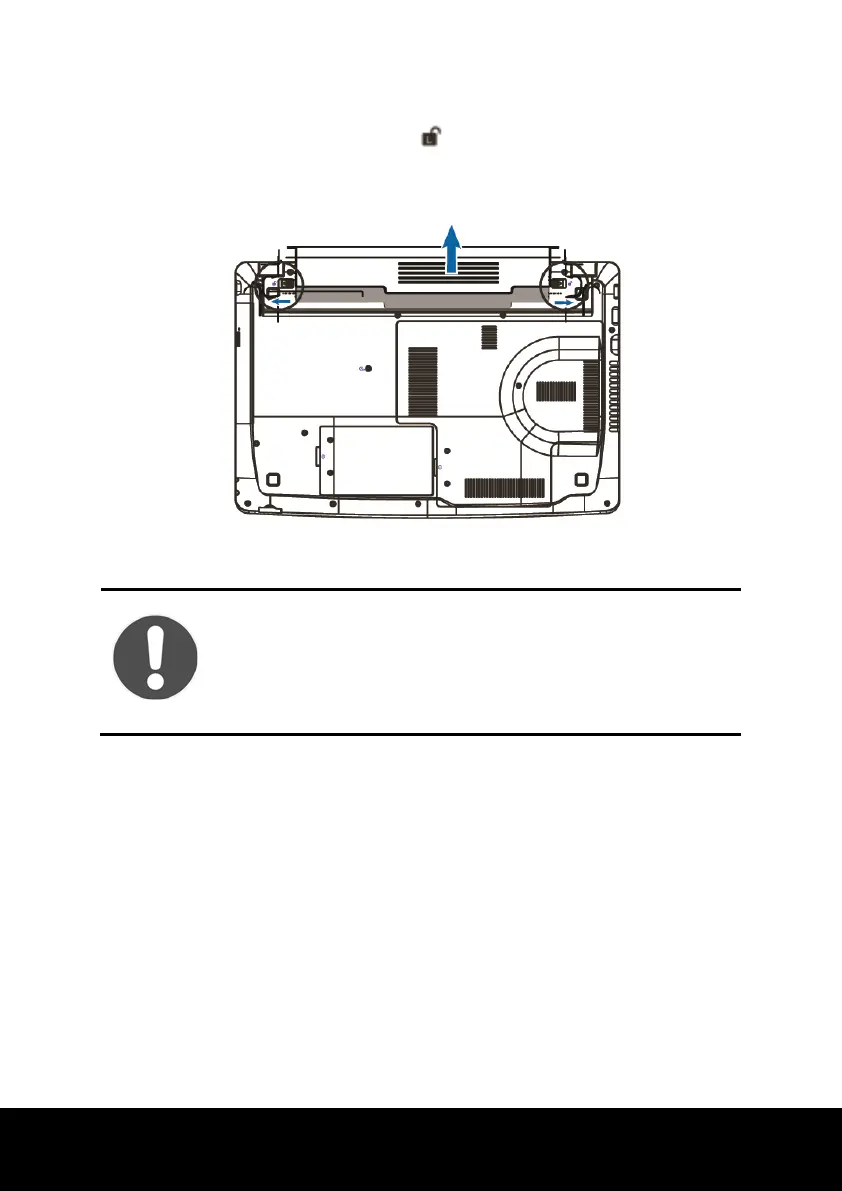
► Push the safety locks to the position in order to remove the battery pack, then
slide the battery out of the compartment.
CAUTION!
Do not remove the battery while the notebook is running on
battery power, this will very likely cause data loss.
Keep the contacts on the battery and notebook clean when
storing them. Dirty contacts might lead to malfunctions.














 To Next Page