After Sales Support TEL: 1300 884 987 WEB Support: www.medion.com.au
51
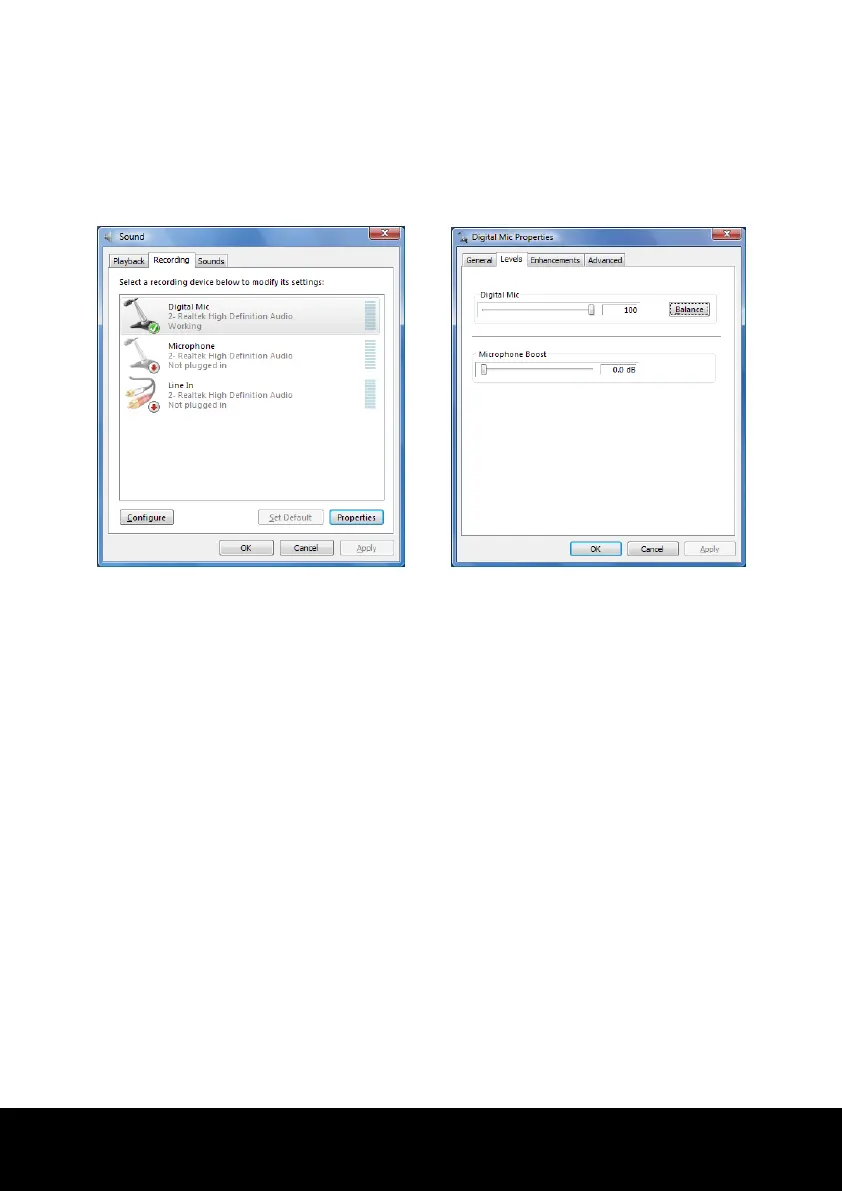
Setting the Recording Level
To set the desired recording level, go to System control Sound Recording and select
the source.
The button Digital Mic is intended for the integrated microphone. If you want to use an
external microphone or another recording source (Line In), select the relevant option.
Dolby
®
Advanced Audio
Enjoy a Rich Home Theater Surround Sound Experience.
Dolby
®
Advanced Audio places listeners in the middle of the action, giving the notebook a
powerful set of tools to deliver a cinema-style experience in vivid surround sound.
Creates a stunning personal surround sound listening experience.
A suite of technologies designed to provide an developing entertainment experience
from any pair of speakers or any set of headphones.
Enables easy connectivity to home theaters through a single digital cable.














 To Next Page