48
1
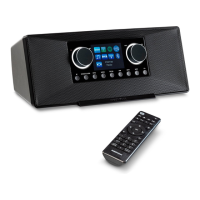
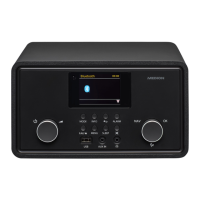
1 Station memory slot 1
2
2 Station memory slot 2
3
Enter
Tune
-/+
• Navigate in the menu, select track, select station,
confirm settings
4
4+ Station memory slot 4
5
3 Station memory slot 3
6
Display
7
EQ • Select equaliser settings
8
Menu • Open menu
9
Mute
Vol
-/+
• Set volume, mute
10
• Switch the device on/off
11
Mode • Select the operating mode
12
DAB/FM antenna
13
USB 5V 1A USB port
14
Aux in Audio connection for external device
15
Mains cable
16
Reset Reset opening
43320 ML Content Final.indb 4843320 ML Content Final.indb 48 12.07.2022 09:31:4312.07.2022 09:31:43


 To Next Page