Medtrum Simplifying Diabetes
www.medtrum.com
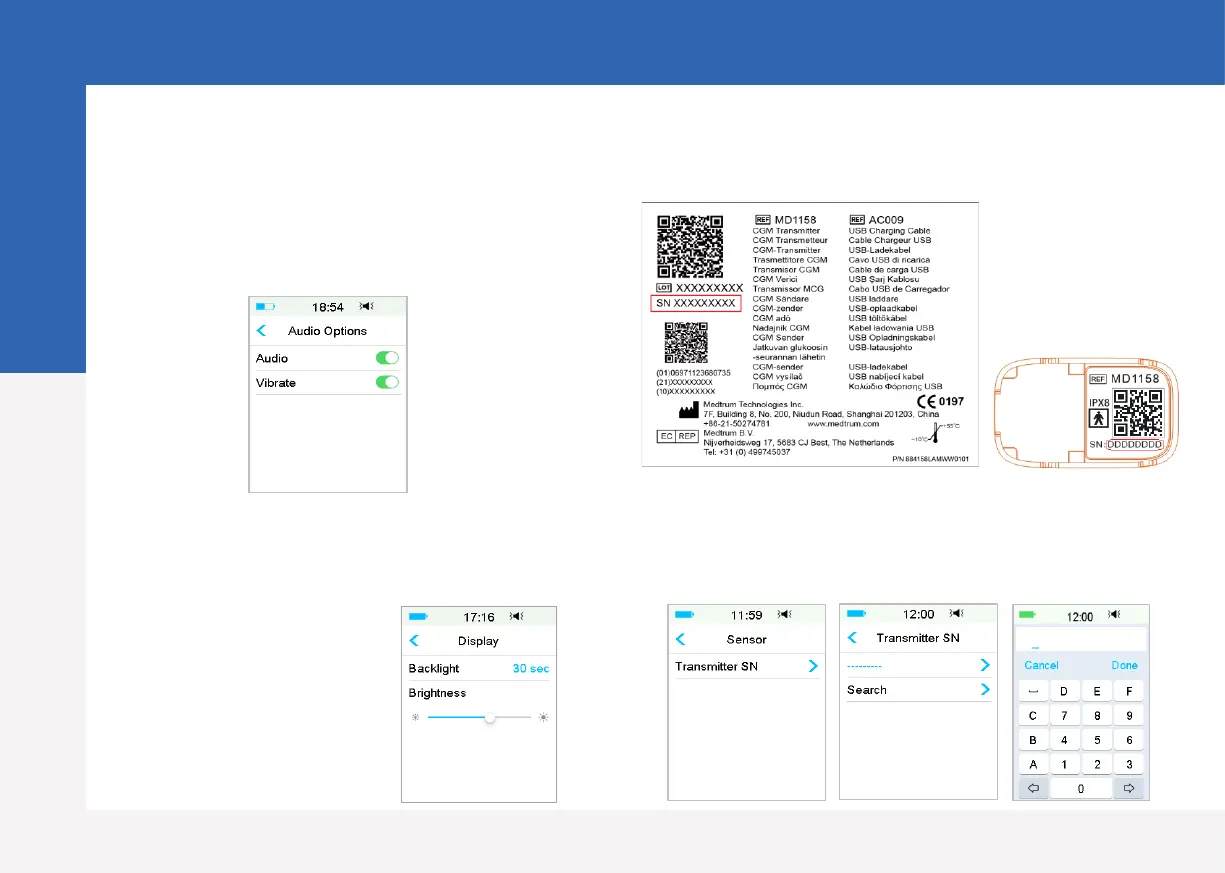
7. Find Transmitter SN
You can find the Transmitter SN on the product
box or on the back of the Transmitter.
8. Enter Transmitter SN
Main Menu ➔ Sensor ➔ Transmitter SN
Tap ------ to enter SN manually
6. Set display settings
Main Menu ➔ Settings ➔ General ➔ Display
5. Set audio options
Main Menu ➔ Settings ➔ General ➔
Audio Options
If you set the audio option to Audio off
/Vibrate off, your PDM only vibrates
when a serious alert occurs.
It is recommended
for new users to set
backlight time as 2
minutes
PDM Settings
5


 To Next Page