Medtrum Simplifying Diabetes
www.medtrum.com
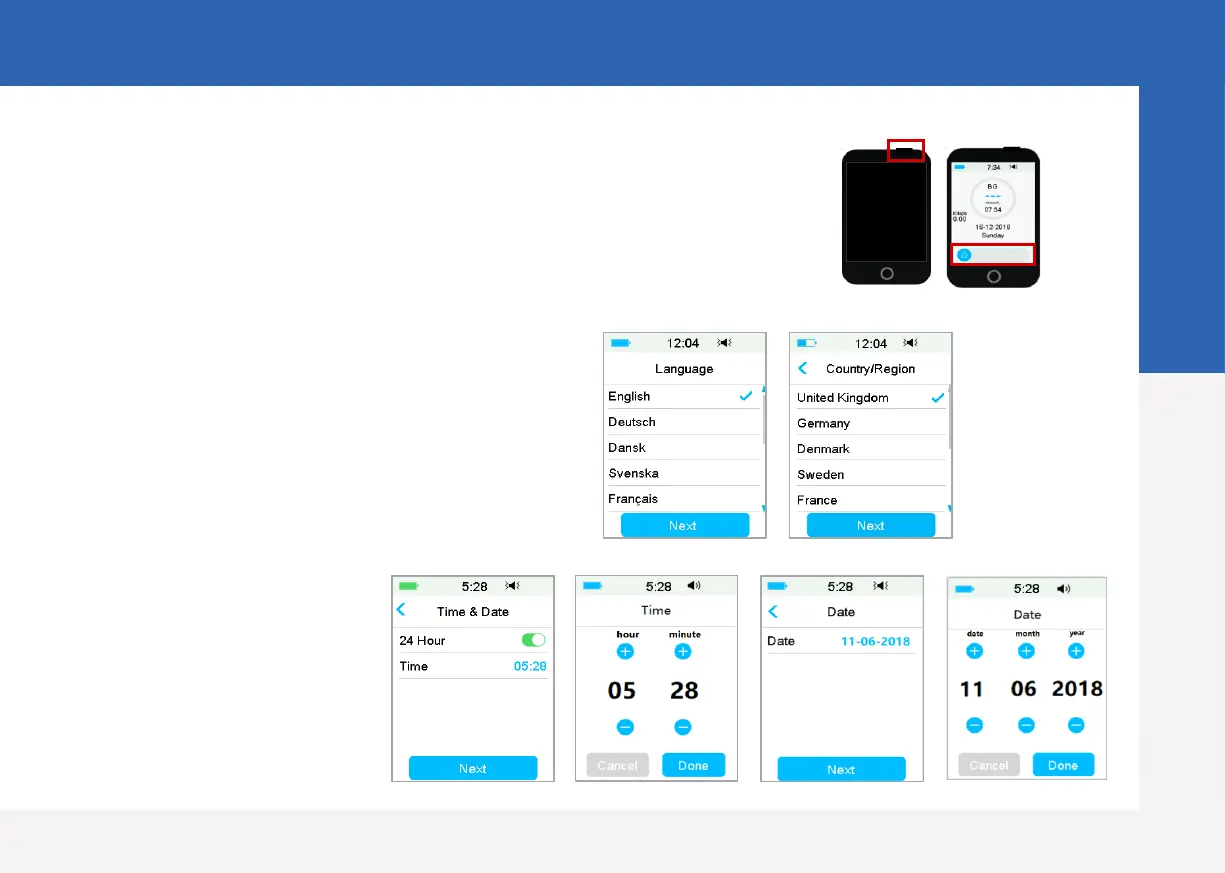
1. Turn on/off the PDM
• Turn-on - Long-press the power button, a green light will flash.
• Turn-off - Long-press the power button for about 2 seconds, then
slide to power off. Or long-press the power button for about 8
seconds
4. Set time and date
2. Wake the PDM
When the screen goes black, press the
power button and then slide to unlock
3. Select language and country
PDM Settings
4


 To Next Page