Medtrum Simplifying Diabetes
www.medtrum.com
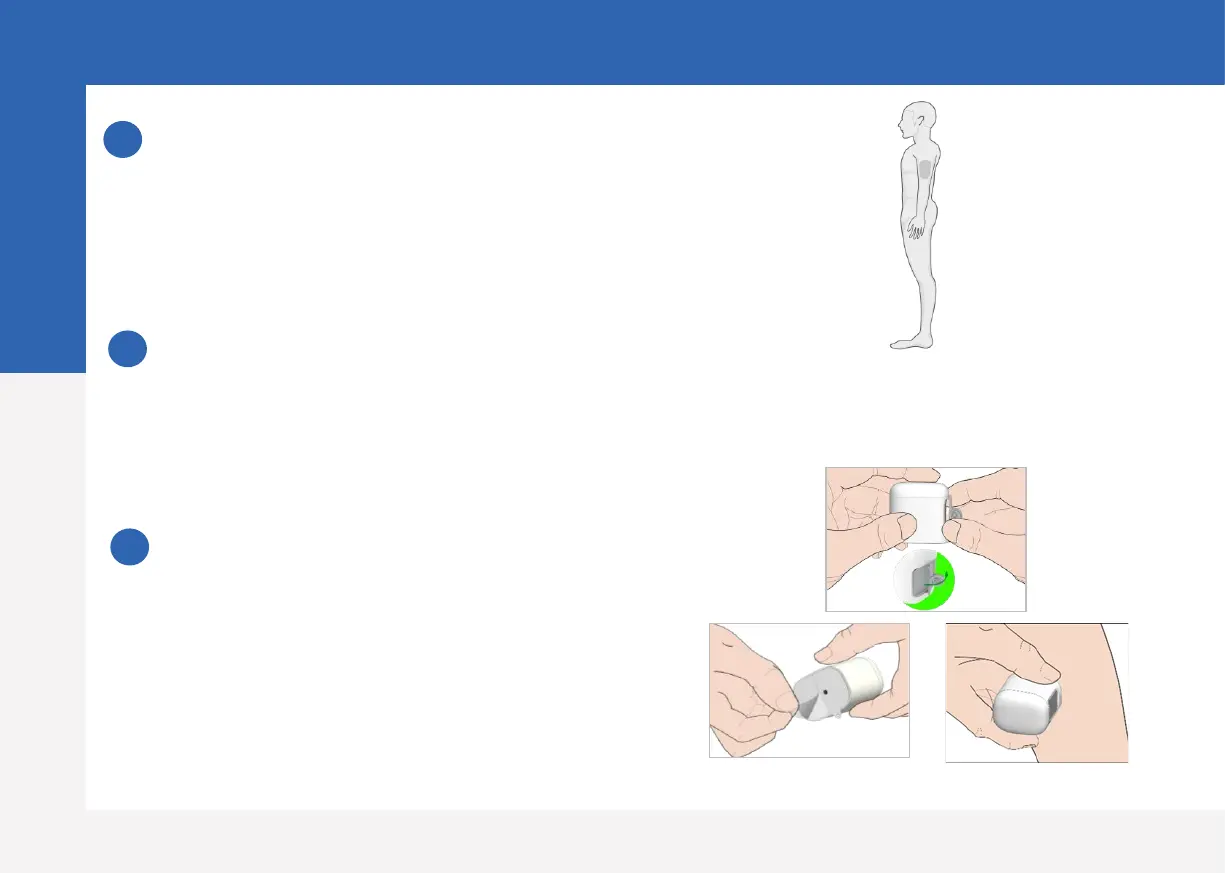
Select an insertion site
• Clean, less hair, no sweat, uncovered, enough fat
(at least 5mm thick), away from insulin infusion
site.
• Choose an insertion site on the upper arm, apply
the Sensor vertically.
Prepare the insertion site
• Wipe the selected insertion area with
rubbing alcohol and wait for the area to dry
up.
• The Sensor adhesive stays more firmly on
dry skin.
Place the Sensor
• Use your thumb and finger to bend off the
safe lock by pushing it to the left or right.
• Remove the Protective Liner from the Sensor
Support Mount
• Place the Sensor vertically on the upper arm.
1
2
3
Note: Please pay attention to the location of
the Sensor site and Patch site so that there is
little communication interruption.
Apply Sensor
7



 To Next Page