CHARGING
*** You must completely charge the headset before the first use ***
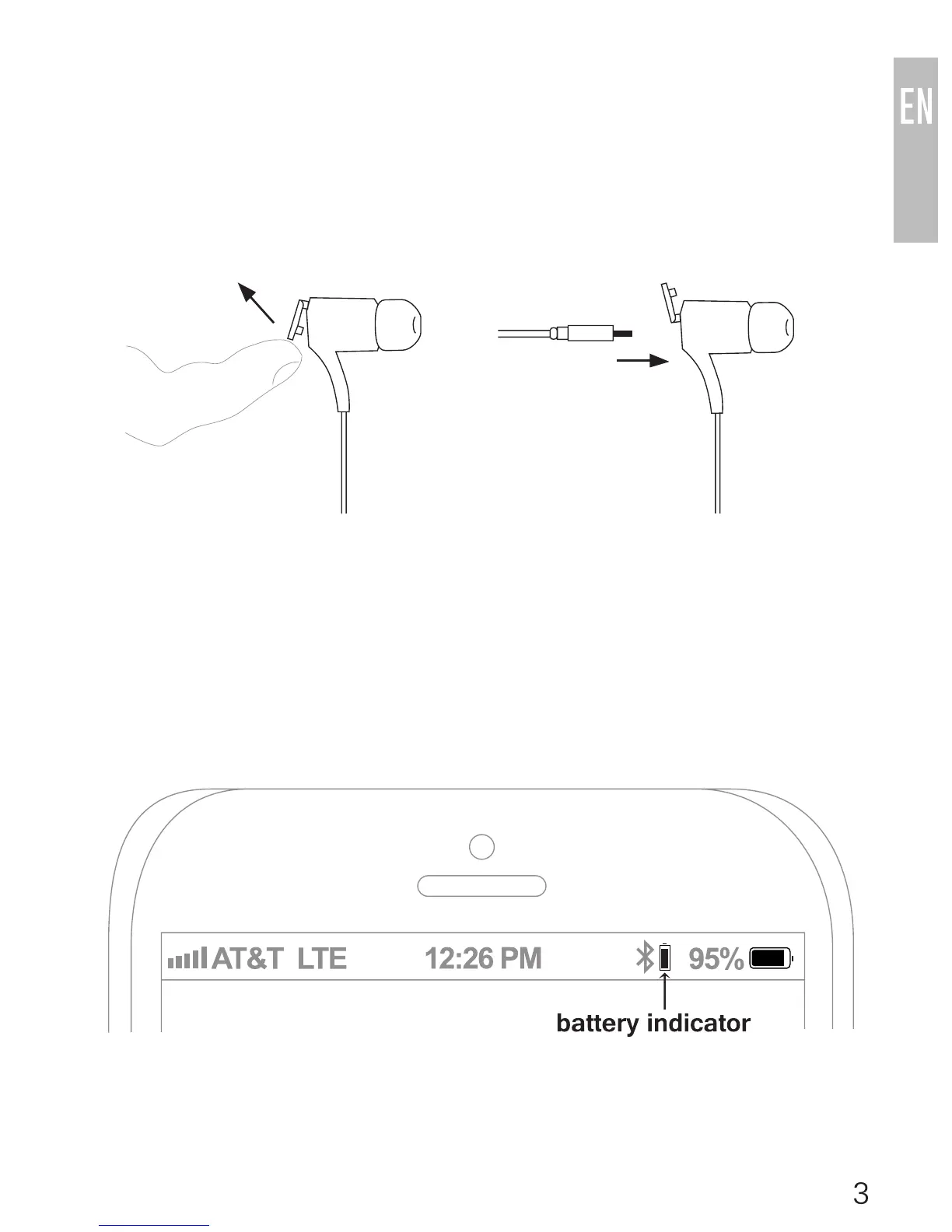
Open the charging port cover on the right ear piece and plug in the
micro-USB charging cable into the Metro2 and a powered USB port. The
red indicator light will stay on while charging and turn off when charging is
complete. Charge time is typically 2 hours.
Notes:
• TheMetro2willnotworkwhilethechargingcableispluggedin.
• AppleiOSdevicessuchastheiPhone®,iPad®,andiPodtouch®will
display a battery indicator in the top right corner of the screen when the
Metro2 is connected.
Open the charging port
cover on the right ear
piece
Plug in the micro-USB
charging cable into the
Metro2



 To Next Page