Mega 105WR ADSL2+ Router - Easy Start Guide
27
Chapter 7 – USB Setup – Windows XP x64
The following USB setup is required as part of the windows installation utility for Windows Xp
X64. It may also be followed when setting up the USB drivers on a windows XP x64 computer,
without using the installation utility.
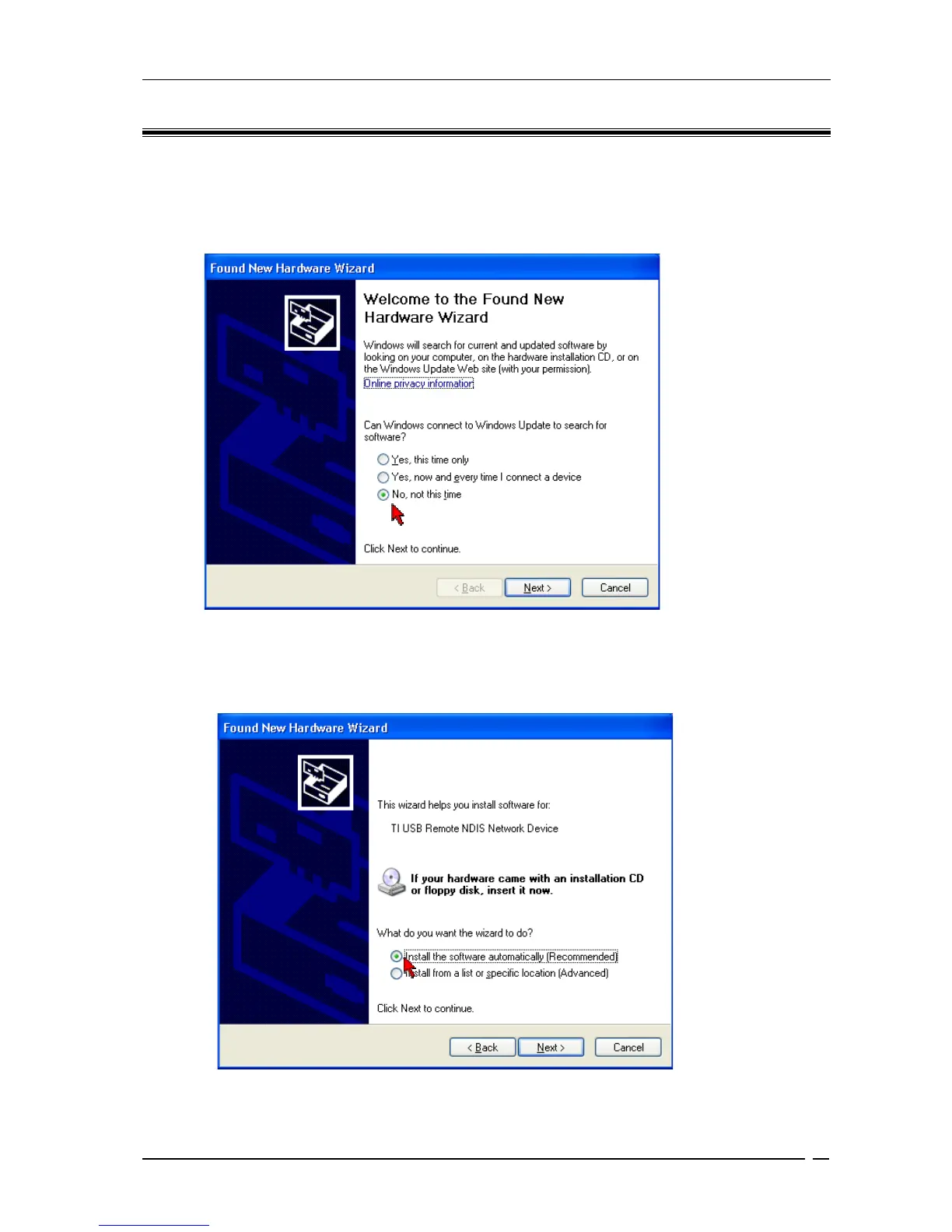
Figure 7-1: Found New Hardware Wizard
Upon plugging in your USB cable, a Found New Hardware Wizard dialog box will appear
(Figure 7-1). Select No, not this time and click Next.
Figure 7-2 : Install Software Automatically



 To Next Page