Mega 105WR ADSL2+ Router - Easy Start Guide
32
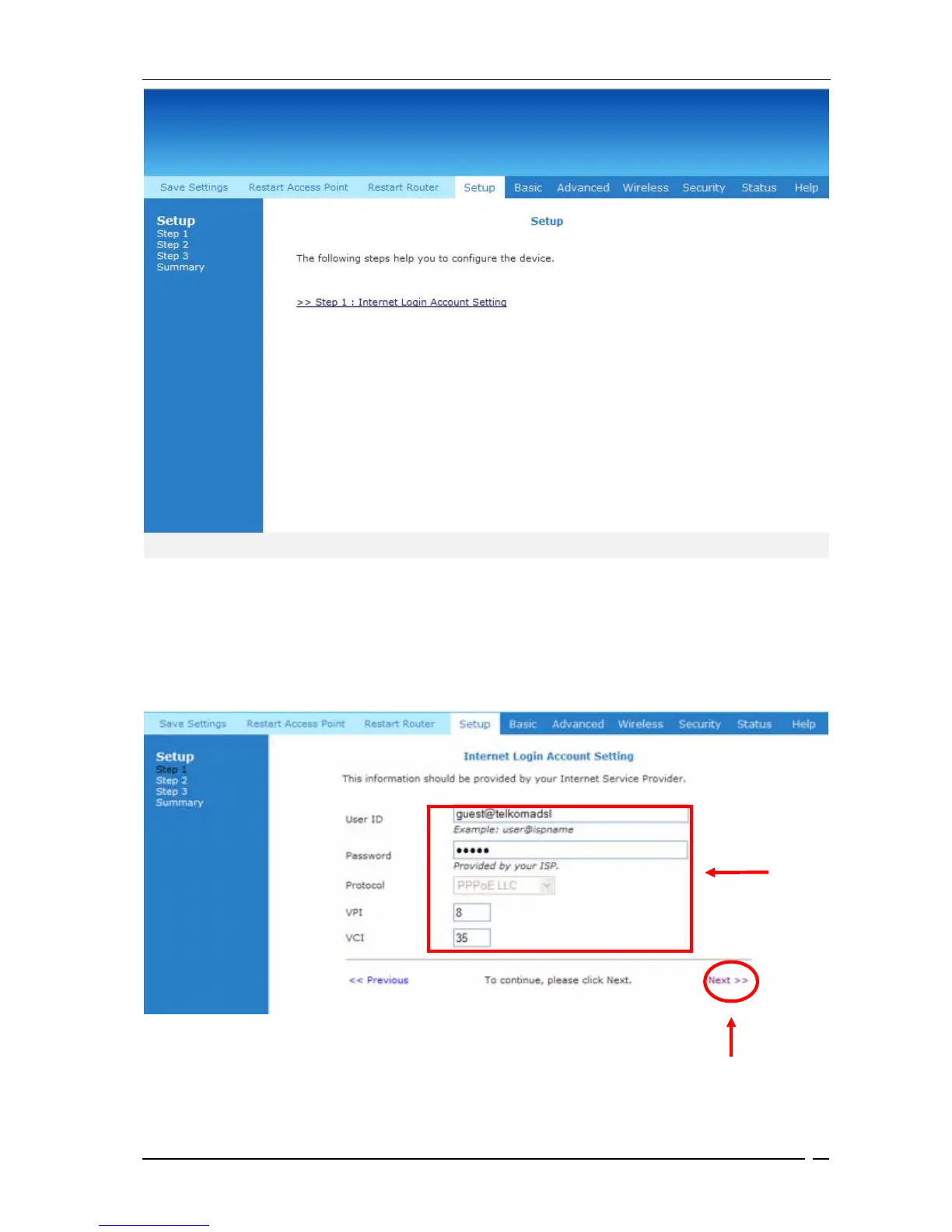
Figure 9-3: Setup page
You need to enter the Username and Password that your ISP provided. Please do not change
VPI , VCI or PPPoE setings unless your ISP has requested this . Click on Next to continue .
Figure 9-4 shows the screen that is provided to enter in these details.
Figure 9-4 : Account Set-Up
Enter
These
Fields
Click Here



 To Next Page