EasyManua.ls Logo

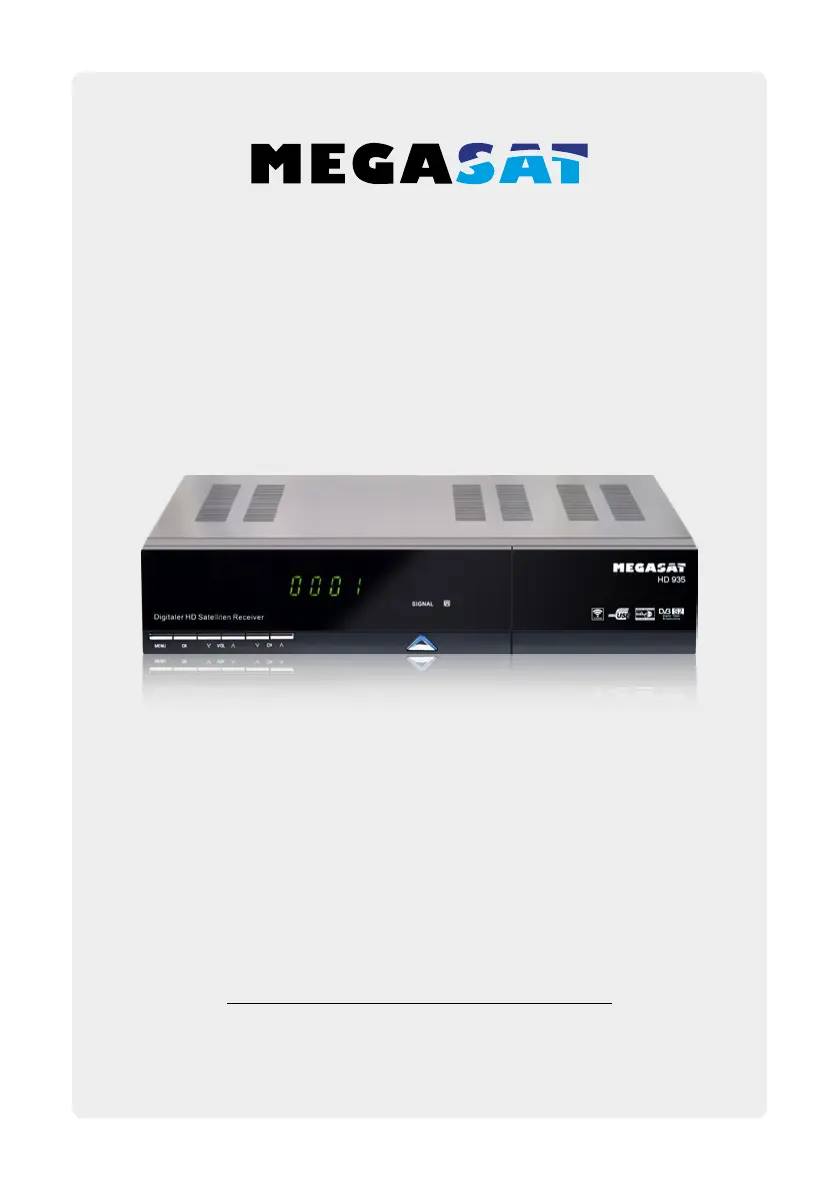
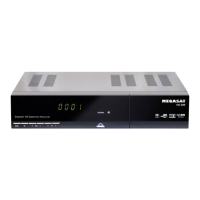
Megasat HD 935 - User Manual

Megasat HD 935
76 pages
Go to English
Print Icon
To Next Page IconTo Next Page
Loading...
Bedienungsanleitung
HD 935 - HD 935 Twin

Questions and Answers

  • S
    Shawn BenjaminJul 27, 2025
    What to do if my Megasat Receiver has no picture or sound?
    • H
      Holly MartinJul 28, 2025
      If your Megasat Receiver shows no picture or sound, it could be due to several reasons. First, ensure your satellite dish is accurately aligned to the satellite for optimal signal strength. You can check the signal strength indicator in the channel search submenus. Also, verify the cable connections and LNB. If necessary, adjust the dish, replace the LNB, or replace the cable.
  • M
    mbriggsAug 1, 2025
    Why is my Megasat Receiver remote control not working?
    • S
      Stephen PetersAug 1, 2025
      If your Megasat Receiver's remote control isn't working, try these steps: * Replace both batteries in the remote. * Ensure you're aiming the remote directly at the receiver, without any obstructions blocking the front panel. * If the LED indicator on the front panel shows the time, the receiver might be in standby mode; press the power button to switch it off.
  • Q
    qwallsAug 7, 2025
    How to fix bad picture or blocking error on Megasat HD 935?
    • J
      Jessica KempAug 7, 2025
      To resolve a bad picture or blocking error on your Megasat Receiver, consider these possible solutions: * Adjust your satellite dish for accurate alignment. * If the signal is too strong, connect an attenuator to the LNB input. * Consider using a larger satellite dish. * Try an LNB with a lower noise factor, or replace the LNB if it's faulty.
  • L
    Lisa EnglishAug 11, 2025
    What to do if the LED on the front panel of my Megasat HD 935 is not lit?
    • G
      gallagherxavierAug 11, 2025
      If the LED on the front panel of your Megasat Receiver is not lit, check whether the main supply cable is properly plugged into the power socket.
  • H
    Hunter CookAug 16, 2025
    What to do if there is no startup menu on the screen after turning on Megasat HD 935 for the first time?
    • M
      Megan ClarkAug 16, 2025
      If you don't see the startup menu on your Megasat Receiver when turning it on for the first time, and the system is connected via HDMI, make sure your TV is set to the correct HDMI input.
  • C
    Christopher GlassAug 22, 2025
    How to improve poor picture quality or get more channels when scanning on my Megasat HD 935?
    • H
      Hector LoweAug 22, 2025
      To improve picture quality or get more channels when scanning on your Megasat Receiver, try changing the LNB power to 14V/19V in the Antenna setup menu. This can address low LNB power or signal loss in the cable.

Summary

Safety Instructions

1. Referenz

1.1 General Features

Lists technical specifications and features of the receiver.

1.2 Delivery

Lists items included in the product package.

2. Names and Key Assignment

2.1 Front View

Identifies buttons and displays on the front panel.

2.2 Rear View

Identifies ports and connections on the rear panel.

2.3 Remote Control

3. Connecting the Set-Top Box

3.1 Connecting the Set-Top Box

Steps to connect the coaxial and HDMI cables to the TV.

4. Main Menu

4.1 Installation

Setup for satellite scan, edit, and TP search.

4.2 Transponder

Details on managing transponders for satellite reception.

4.3 Motor Control

Adjustments for operating the satellite dish motor.

4.4 Channel Search

Options for searching TV and radio channels.

4.2 Channel Edit

Manage programs: move, delete, lock, rename, exchange.

4.3 Settings

Change basic settings of the set-top box.

4.4 Time Settings

Configure automatic or manual time settings and time zones.

4.5 Advanced

Access games and USB functions for extended features.

5. USB Port Allocation and Hard Drive Slot

5.1 Assignment of the USB Ports

Explains the internal connections for front/back USB and hard drive.

5.2 Insertion and Formatting of a Hard Disk

Steps for installing and formatting a hard drive for the receiver.

6. Recording; Playback; Timeshift; Twin Tuner

6.1 Record

Methods for recording TV programs directly or via timer.

6.2 Programming Timer Manually

Detailed steps for setting up manual recording timers.

6.3 Timer Programming via EPG

Schedule recordings using the Electronic Program Guide.

6.4 Playback

How to play back recorded video files from USB.

6.5 Timeshift

Pause and resume live TV broadcasts.

6.6 Twin Tuner

Configure dual tuner operation for simultaneous recording/viewing.

7. Stream to Smartphone or Tablet

7.1 App for Smartphone and Tablet

Use the G-MScreen app to stream TV to mobile devices.

7.2 Example of Use

Illustrates connecting the receiver and mobile device for streaming.

7.3 Control with the Touchpad

Use gesture controls on the touchpad for the receiver.

7.4 Control Buttons (Page 1)

Describes basic control buttons available in the remote app.

7.5 Control Buttons (Page 2)

Describes numeric, playback, and navigation buttons in the remote app.

7.6 Timer

Manage timer settings for programs.

7.7 Add Timer

Steps to add a new timer event for program recording.

8. Additional Information

8.1 Troubleshooting

Common problems and solutions for the STB.

8.2 Specifications

Technical specifications of the tuner, MPEG, power supply, and physical details.

8.3 Updating the Firmware

Instructions for updating the set-top box firmware via USB or Internet.

Megasat HD 935 Specifications

General IconGeneral
Child lockYes
Tuner typeDigital
Demodulation8PSK, QPSK
Product colorBlack
Interactive TV-
Number of tuners1 tuner(s)
Audio output channels- channels
Favorite list TV programs8
Digital Satellite Equipment Control (DiSEqC)1.0, 1.1, 1.2, USALS
HDD size2.5 \
Card reader integratedNo
Display digits4 digits
Package depth312 mm
Package width308 mm
Package height82 mm
Aspect ratio4:3, 16:9
Signal sourceSatellite
Video resolutions720 x 480, 720 x 576, 1280 x 720, 1920 x 1080 pixels
Supported video modes576i, 576p, 720p, 1080i, 1080p
Analog signal format systemNTSC, PAL
Digital signal format systemDVB-S, DVB-S2
USB 2.0 ports quantity2
Digital audio coaxial out1
Digital audio optical out0
Image formats supportedJPG
Video formats supportedAVI, FLV, H.264, MKV, MOV, MP4, MPEG2, MPEG4
AC input voltage100-240 V
AC input frequency50 - 60 Hz
Power consumption (standby)0.5 W
Power consumption (typical)12 W
Input frequency range950 - 2150 MHz
Storage temperature (T-T)-40 - 65 °C
Operating temperature (T-T)0 - 40 °C
Weight and Dimensions IconWeight and Dimensions
Depth233 mm
Width280 mm
Height62 mm
Weight1500 g

Related product manuals