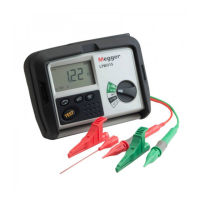
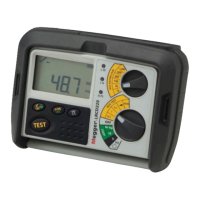
2. Supply voltage is displayed.
3. Press the [TEST] key.
4. After a test period of up to 20 seconds the measured loop value is
displayed.
Hi current loop test [Hi]
The [Hi] Loop test performs a 2-wire loop test, provides a rapid loop test,
designed for non-RCD protected circuits.
NOTE: During all [Hi] tests the BLACK neutral test lead does not need to
be connected, but for safety reasons Megger recommend it is connected
to the same connection point as the GREEN earth test lead.
Range selection:
1. Set the instrument to the [ Hi ] loop test range. A Hi current loop test is
confirmed on the display with the symbol , which indicates the
possibility of tripping an RCD if fitted.
2. On the LT320 and LT330 set the top range knob to [Z].
Phase-Earth loop impedance (not at a power socket)
Testing:
1. Connect the Red/Green lead set or the 3-wire test lead to the
instrument.
2. Connect the RED [L1] lead to PHASE and the GREEN [L0] lead to
EARTH (black lead - connect the black lead to the green lead)
3. The supply voltage is displayed.
4. Press the [TEST] button to start a loop test.
5. After a short delay the measured loop value is displayed.
If desired the test can be repeated by pressing the [TEST] button.
12
Bonded metalwork testing
Repeat the above test but with the green lead connected to the exposed
metalwork.
For a Hi current phase to earth loop impedance measurement at a power
socket, repeat the above test using the mains plug test lead supplied.
Phase-Neutral or Phase-Phase loop impedance
1. Connect the Red/Green lead set or the 3-wire test lead to the
instrument.
2. Connect the RED [L1] lead to PHASE. Connect the GREEN [L0] lead and
the BLACK lead (black lead - ensure the black lead is connected to the
green lead) to NEUTRAL (or the 2nd PHASE for Phase to Phase loop
measurement).
3. The supply voltage is displayed.
4. Press the [TEST] button to start a loop test.
5. After a short delay the measured loop value is displayed. If desired the
test can be repeated by pressing the [TEST] button again.
NOTE: Phase – Phase (415 V) loop test is only possible on the LT320
Prospective fault current display [PFC]
1. On completion of a test, press the [PFC] key.
2. The prospective fault current is displayed in Amps or kA.
NOTES:
The prospective short circuit current (PSCC) of a circuit is the largest
prospective fault current (PFC). In a single phase system, this would be
the larger of the earth loop PFC and the neutral loop PFC. In a multi-phase
system phase-phase loops also need to be considered and these can be
measured using the (Hi) switch position.



 To Next Page