27
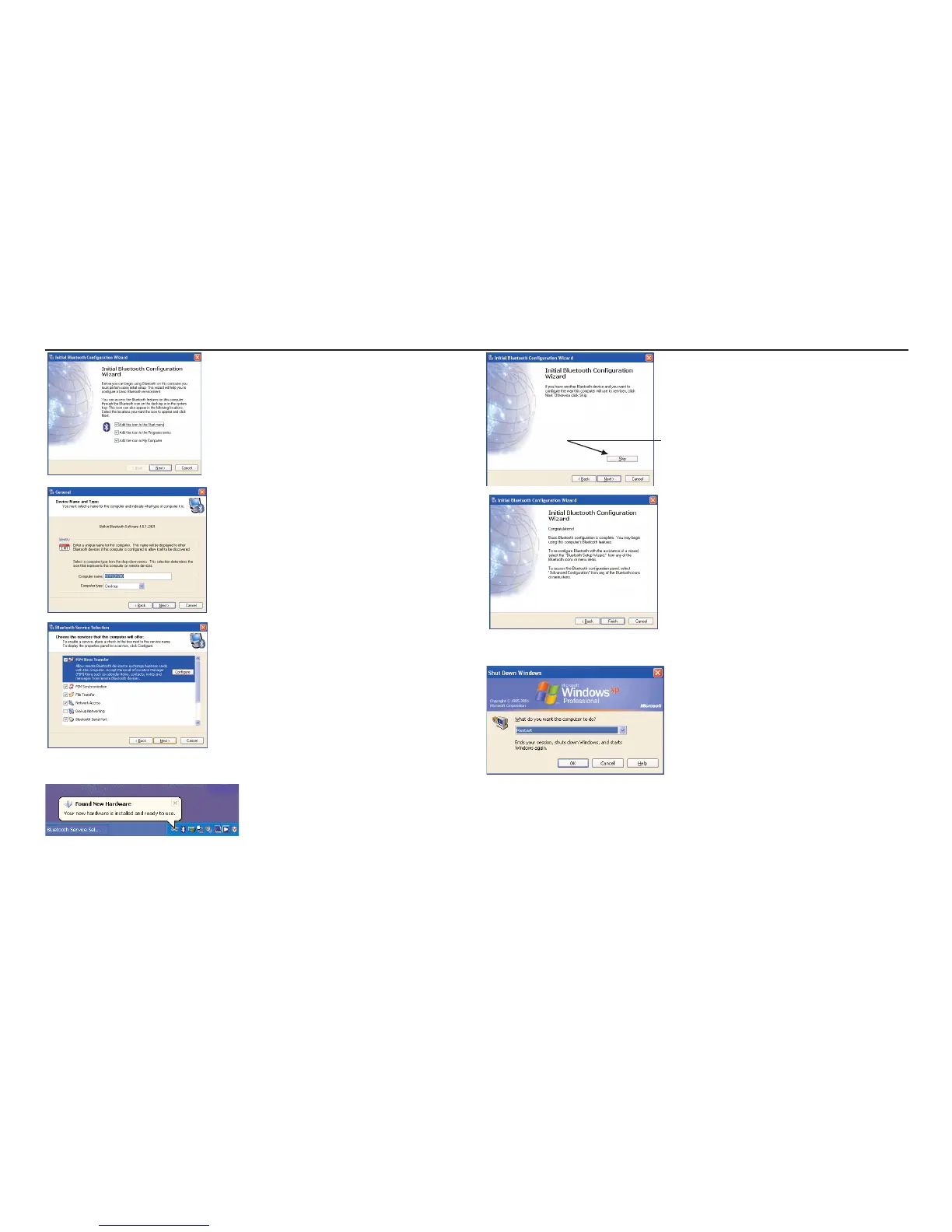
Click Next.
Click Next.
Confirm ticks are shown in the boxes shown……Click Next.
This will be confirmed with a message balloon as shown.
You MUST Click Skip at this Stage
Click Finish and you must reboot the computer.
3. Typical install process for A Bluesoleil Driver.
The install process starts when the vendor CD is placed in the drive.


 To Next Page