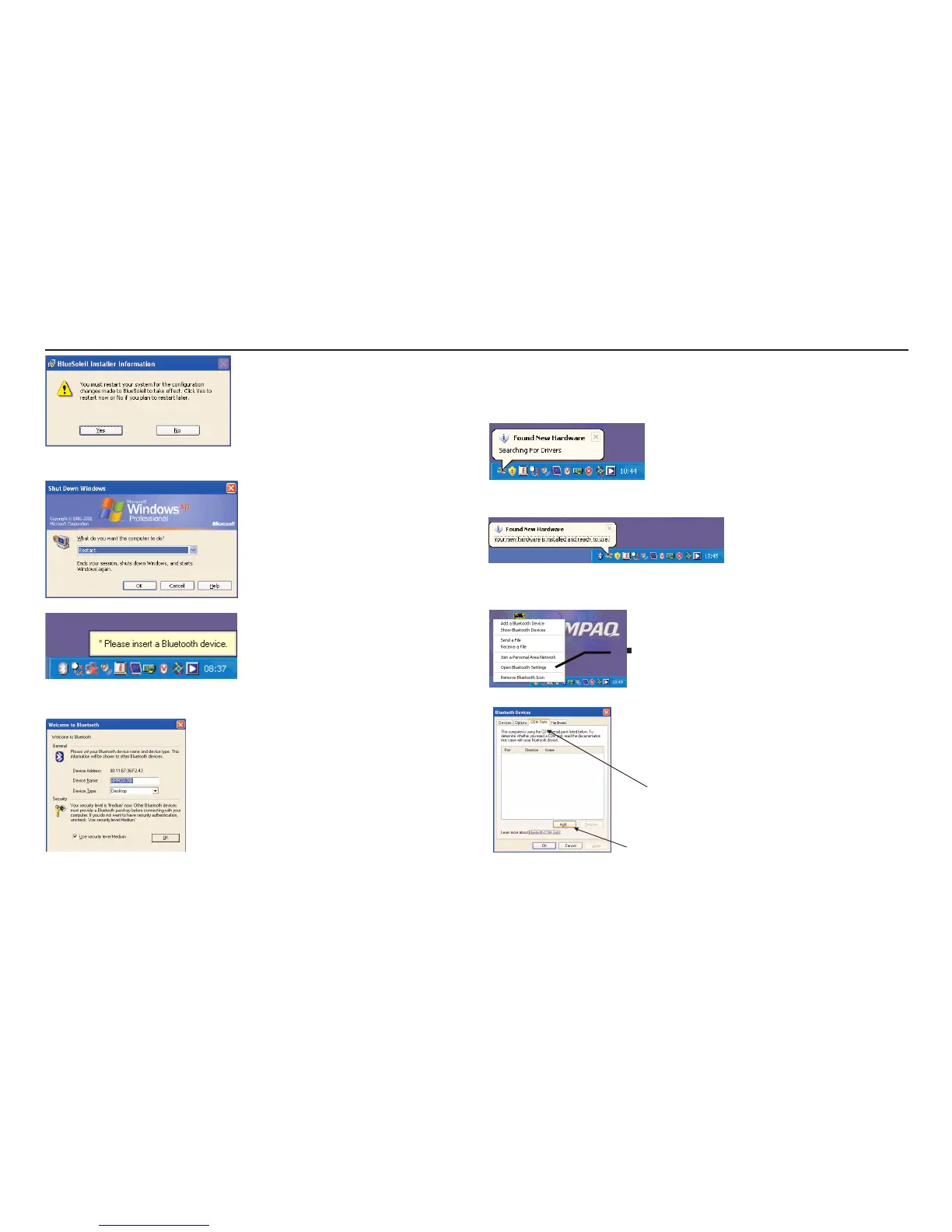
you must reboot the computer.
Plug the Dongle in when requested.
Switch Security level from Medium by removing the “Tick”. This driver
exhibits unusual behaviour when set to “Medium” but “High” or “Low” work
correctly.
4. Typical install process for Microsoft Drivers.
Plug “Bluetooth” Dongle into computer.
Auto detect and install will now start.
Right Click on “Bluetooth” icon
in the system tray.



 To Next Page