11 PN: 81127
Rev 4, 6/2017
2.2.1 Ethernet Port
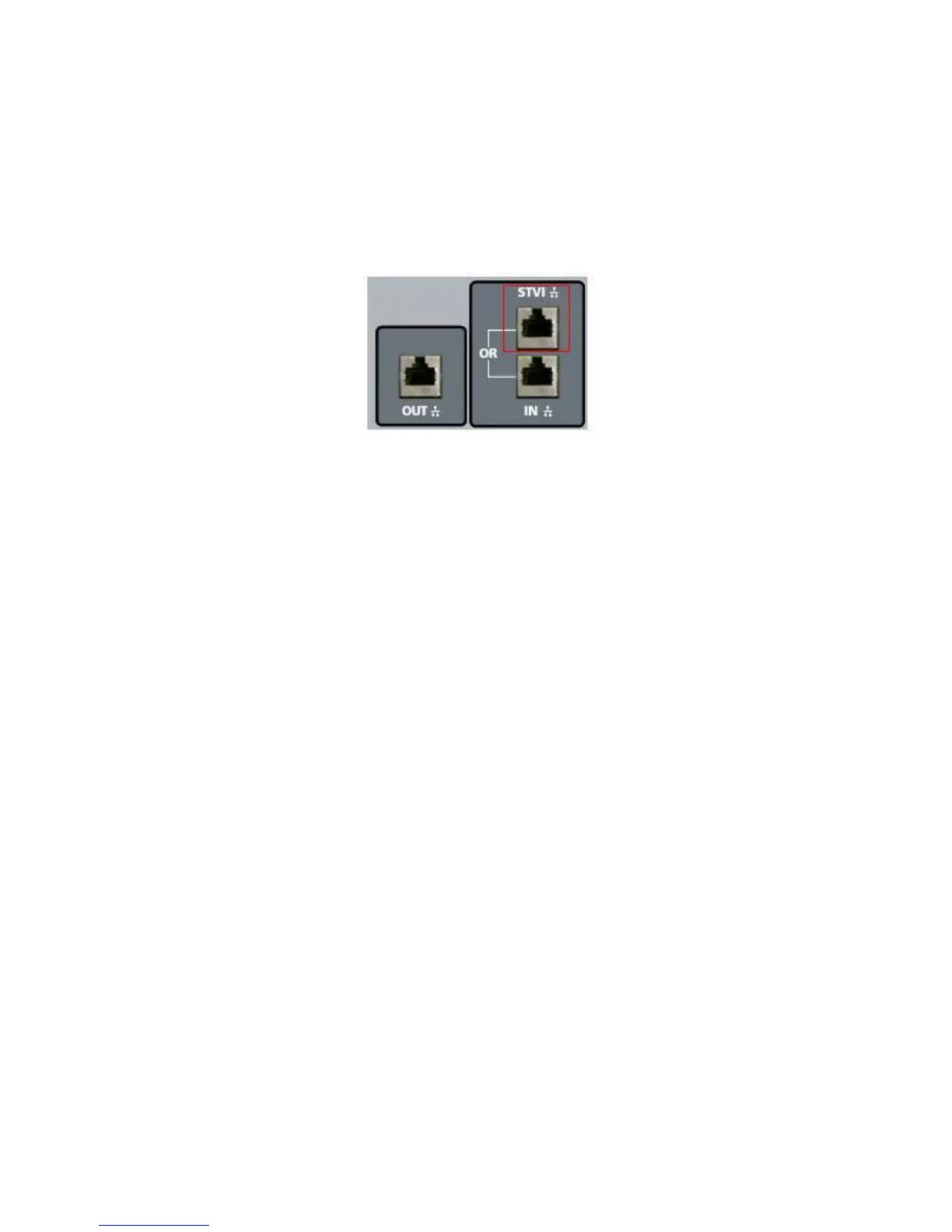
There is one Ethernet port on the STVI for connecting to the SPI unit. Connect the STVI to the SPI unit
using the port labeled STVI (as shown in Figure 3).
Figure 3 - STVI port on the SPI
2.2.2 USB 2.0 Interface
There are two USB 2.0 Interface ports on the STVI unit (see Figure 2). These ports are used for
upgrading firmware in the unit, or upgrading the STVI software using a USB Memory Stick. They may
also be used in conjunction with a USB mouse for ease of manual control, even a USB wireless mouse
may be used with the STVI.
The Ethernet Port labeled “IN” is a 10/100BaseTX port, and is the primary PC connection port. This port
supports MDI/MDI-X auto crossover configuration, which means both standard and “crossover” Ethernet
cables may be used. Note that only one of the Ethernet ports may be used at a time (the intended use is
for control by the STVI or the PC).








 To Next Page