24 PN: 81127
Rev 4, 6/2017
3.0 STVI – Basic Operating Descriptions
This section describes basic operating procedures for using the STVI with the SPI for such applications
as basic pickup, basic timing test, paralleling current outputs from multiple SPI units.
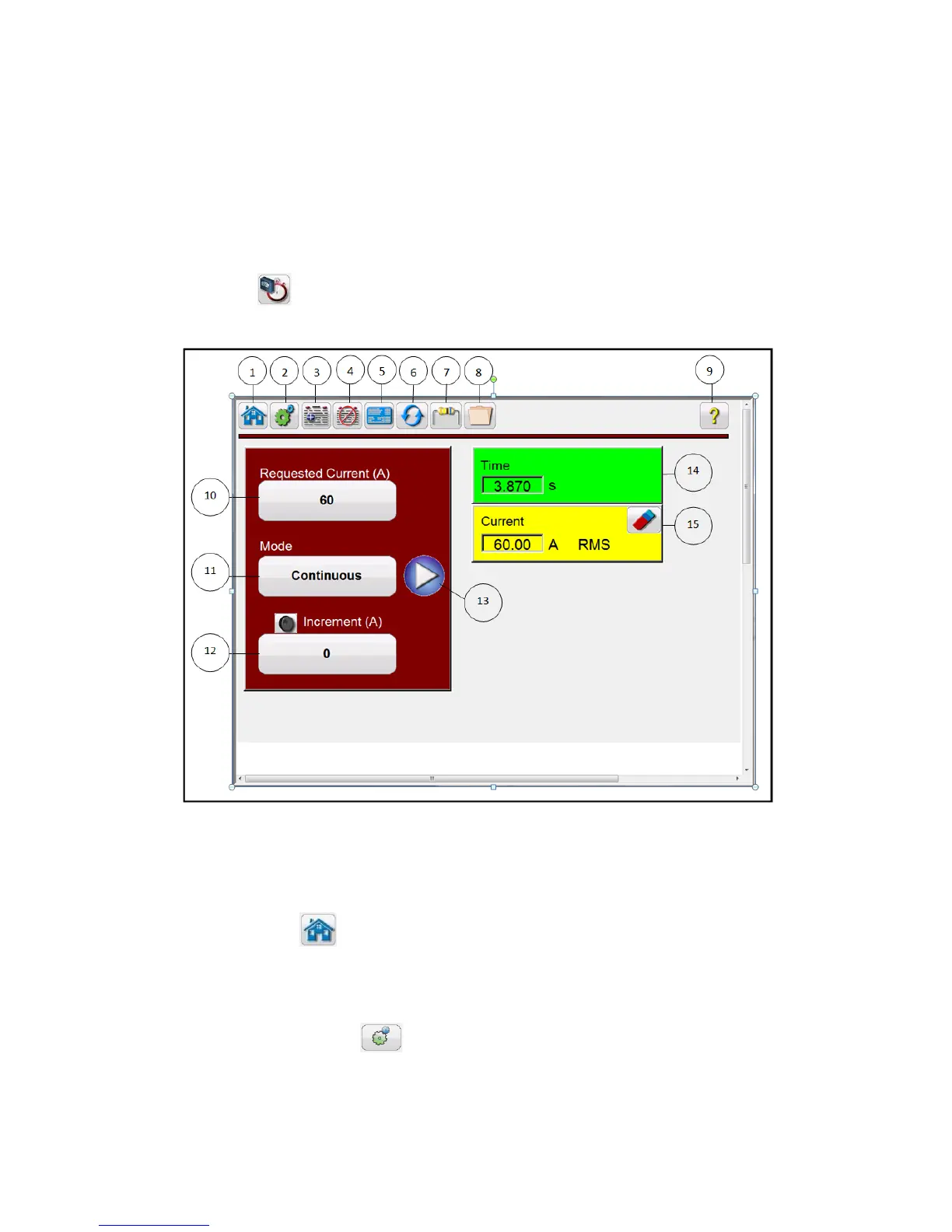
3.1 STVI / PC Manual Test Screen
Pressing the Manual test button will present the user with the Manual Test screen.
Figure 18 - Manual Test Screen
Note: the Current and Time windows do not appear until the test is started by pushing the blue play
button.
3.1.1 Home button
The HOME button is used in several screens. Pressing the Home button takes the user back to the Start
Up Screen.
3.1.2 Configuration Button
Press the button to go to the STVI Configuration Screen. See Section 2.3.1 Configuration for more
information of the Configuration Screen.








 To Next Page