NOTE: After manual pause, must press to started manually, then you can start riding.
5. Long press to save your ride. Then enter the history view. Long press the to
exit the history view.
6. After the current data is saved, BLADE will automatically display the last riding record.
At this time, the computer interface will have one icon on the history record
interface. Press to switch the displayed data name. Long press to exit the
history interface.
7. After exiting the page of history, you can start your next ride from 0.
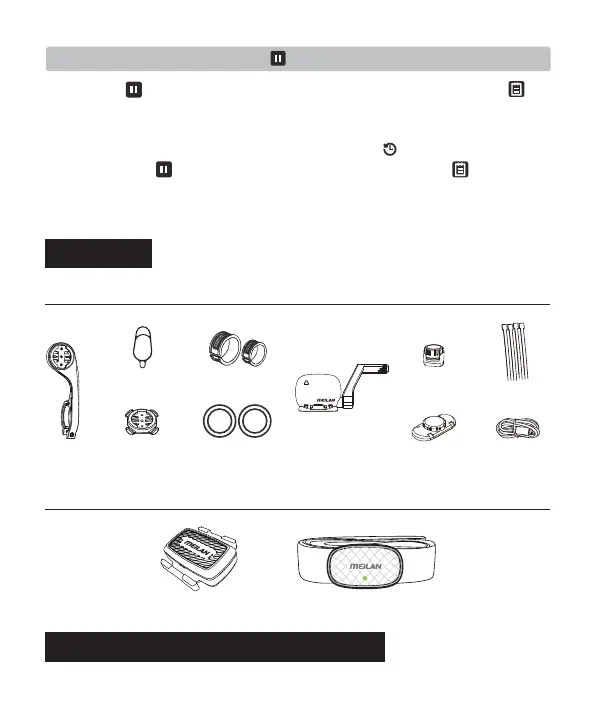
F-mount
Rubber pad
Rubber ring*4
Speed &
cadence sensor
O type rubber band
Cadence magnet
Charging and Replacing the sensor battery
Nylon ties *4
Charging cable
C1 Cadence sensor C5 Heart Rate Monitor
Speed magnet
Bike mount
Packing List
• Standard accessories
• Optional accessories
10


 To Next Page