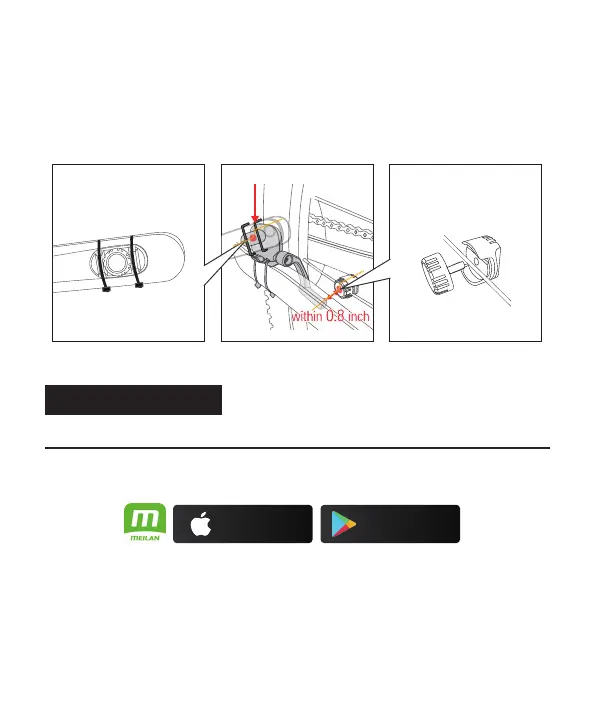
(2). Screw the speed magnet onto any spoke on your back wheel, facing in towards the
sensor. Align so that the magnet will pass by the indicator line on the arm of the
MEILAN C3 sensor. The magnet will have to pass within 0.8 inch (about 2cm) to get
a reading. Once again, adjust the position of the sensor and/or magnet if required.
Tighten the magnet in place on the spoke. Once satisfied with the magnet positioning
and tighten.
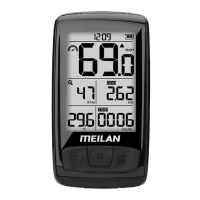
Setting up the BLADE
• Pair Sensors with Blade via Meilan APP
(1). Download the MEILAN APP (download from Google Play or Apple store) and ensure
Bluetooth is on.
(2). Turn on MEILAN APP to register / log in, follow the APP instructions, Select the
measurement unit and authorize apps.
(3). Turn on Blade, hold left-side button to turn on/turn off the switch key.
(4). Tap "+" to search and add Blade to the APP.
On a very small number of Android phones, there may be connection problems due
to the different android versions. You can try another phone.
Cadence magnet
Sensor zone (CADENCE)
Speed magnet
These two must be kept strictly as
shown in the picture on location.
Sensor zone (SPEED)
If using an iPhone If using an Android smartphone
Download on the
App Store
GET IT ON
Googl Play
e
point B
5


 To Next Page