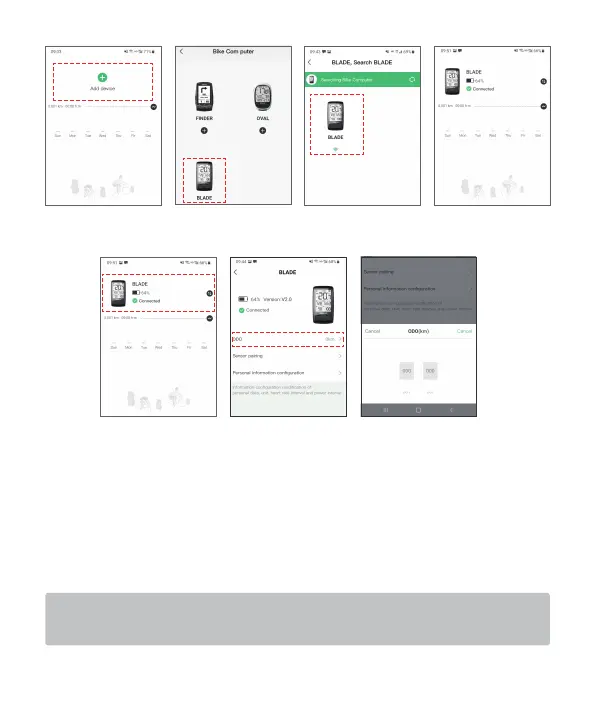
(5). Tap icon of “BLADE” to enter the setting menu, then set ODO and update firmware.
(6). Pairing sensors. Tap on the sensor, search and add sensor. Meanwhile, rotate the
wheel to activate the sensor.
BLADE supports the display of speed, cadence value (standard with a sensor), and
also supports the display of heart rate and power value (requiring additional
purchase of related equipment). BLADE is connected to the sensor, and supports
two wireless transmission bands: Bluetooth BLE4.0 and ANT+. For the same type of
name, you can choose one of them.
If you have a heart rate belt, please wear it and step on the wheel for 3-5 laps to
activate the speed, cadence, heart rate, and power sensors to make them work.
6


 To Next Page