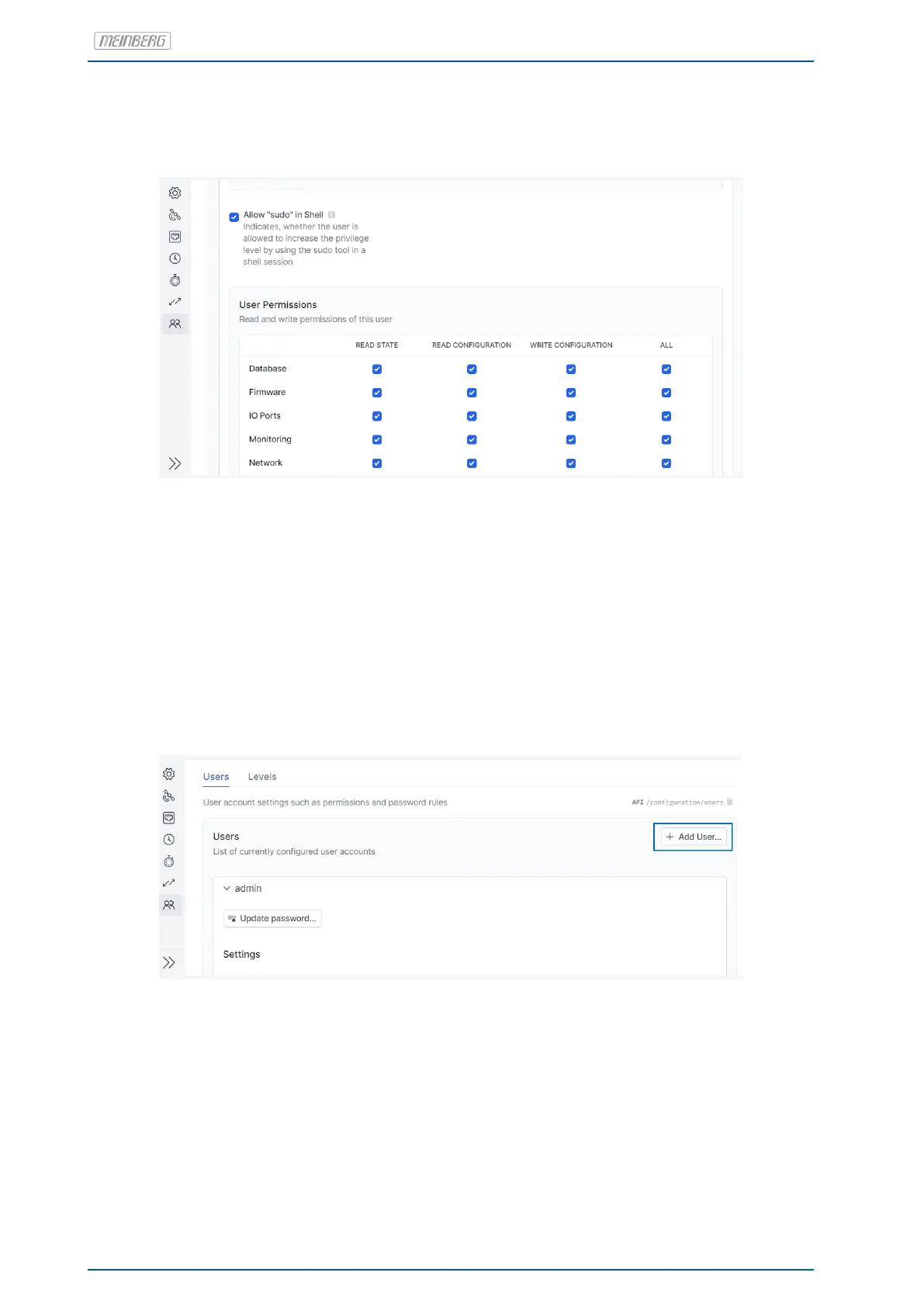
Figure 7.4 shows an example of a configuration form in the Web Interface for a user’s permissions. This form
can be found at "Admin → Configuration → Users".
Figure 7.4: Management of a User’s Permissions
A microSync in its factory-shipped state has three users: admin, info, and status. Because these usernames/-
password combinations are quoted in publicly available documentation, the users will need to be replaced. To
this end, a new user must first be created that has all permissions and thus serves as the admin user. To create
a new user, the pre-defined admin user must be used to log on to the Web Interface. This is done using the
username admin and the password timeserver.
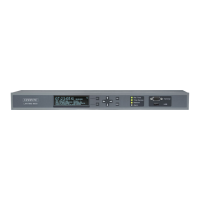
You can then create a new user under "/admin/configuration/users" using the button shown in Figure 7.5. The
"Create New User" page can be see in the image 7.6.
Figure 7.5: Creating a New User
60 Date: January 19, 2023 microSync


 To Next Page