Network Summary
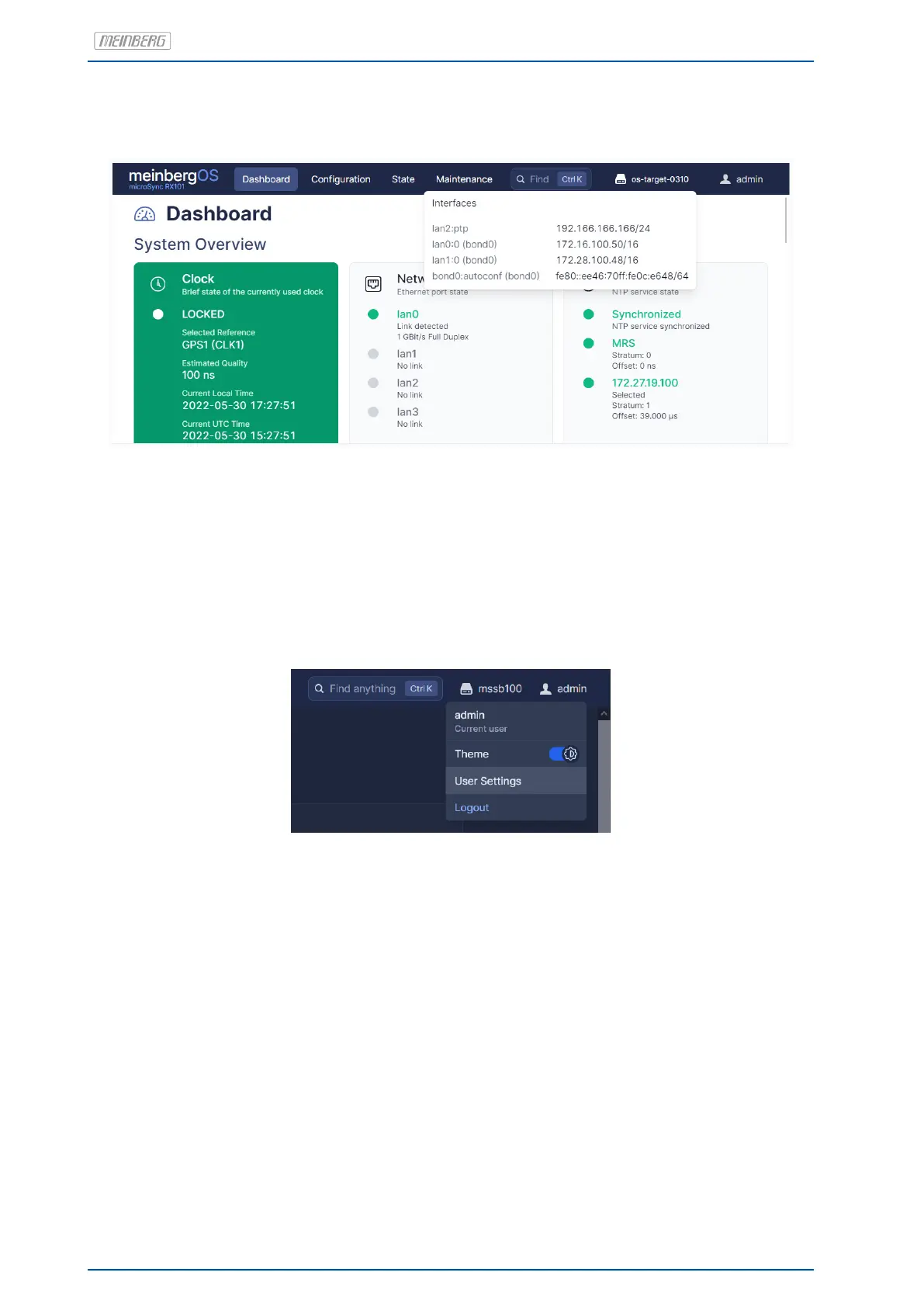
Figure 8.8: meinbergOS Web Interface: Network Summary
The Network Summary (Fig. 8.8) displays the current hostname of the meinbergOS device (os-target-0310 in
the example above) and can be selected to display an overview of the currently configured network interfaces.
User Menu
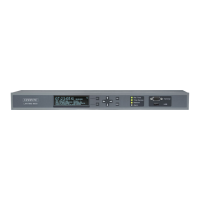
Figure 8.9: meinbergOS Web Interface: User Menu
The User Menu (Fig. 8.9) shows the current username. One of its functions is to change the account password
(via User Settings), which we urgently recommend you do once the system is set up.
The Theme switch can be used to change the meinbergOS color scheme between Light Mode and Dark Mode.
Dark Mode may be easier on the user’s eyes when working in poorly lit environments.
74 Date: January 19, 2023 microSync


 To Next Page