4 Commissioning
10
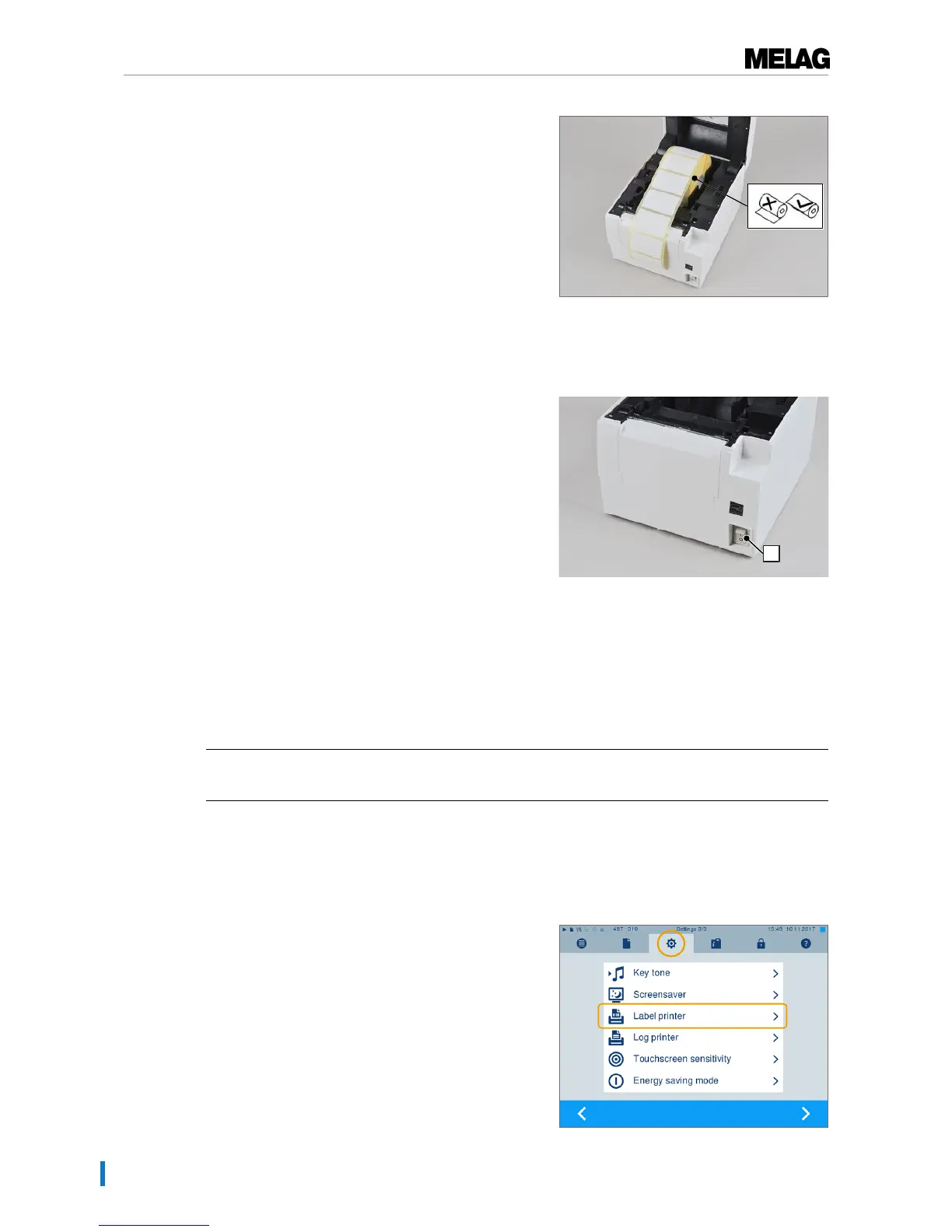
3. Take the label roll with the narrower labels (5 cm
wide) and place it in the centre of the roll dispenser.
4. Close the housing cover.
Switching on the label printer
1. Switch on the label printer at the power switch (pos. d)
at the right-hand lower corner.
2. Press the FEED button to activate the label feed as
required.
Setting-up the label printer on the steam sterilizer
Method 1: The steam sterilizer is not connected to the practice network
Proceed as follows to set-up the label printer on the steam sterilizer as an output medium:
ü
The label printer is connected to a power supply.
ü
The Ethernet cable of the label printer is connected with the steam sterilizer.
1. Switch on the label printer.
2. Switch on the steam sterilizer at the power switch.
3. SelectSettings menu and use the arrow keys to
navigate toLabel printer.
4. Select menu itemLabel printer.


 To Next Page