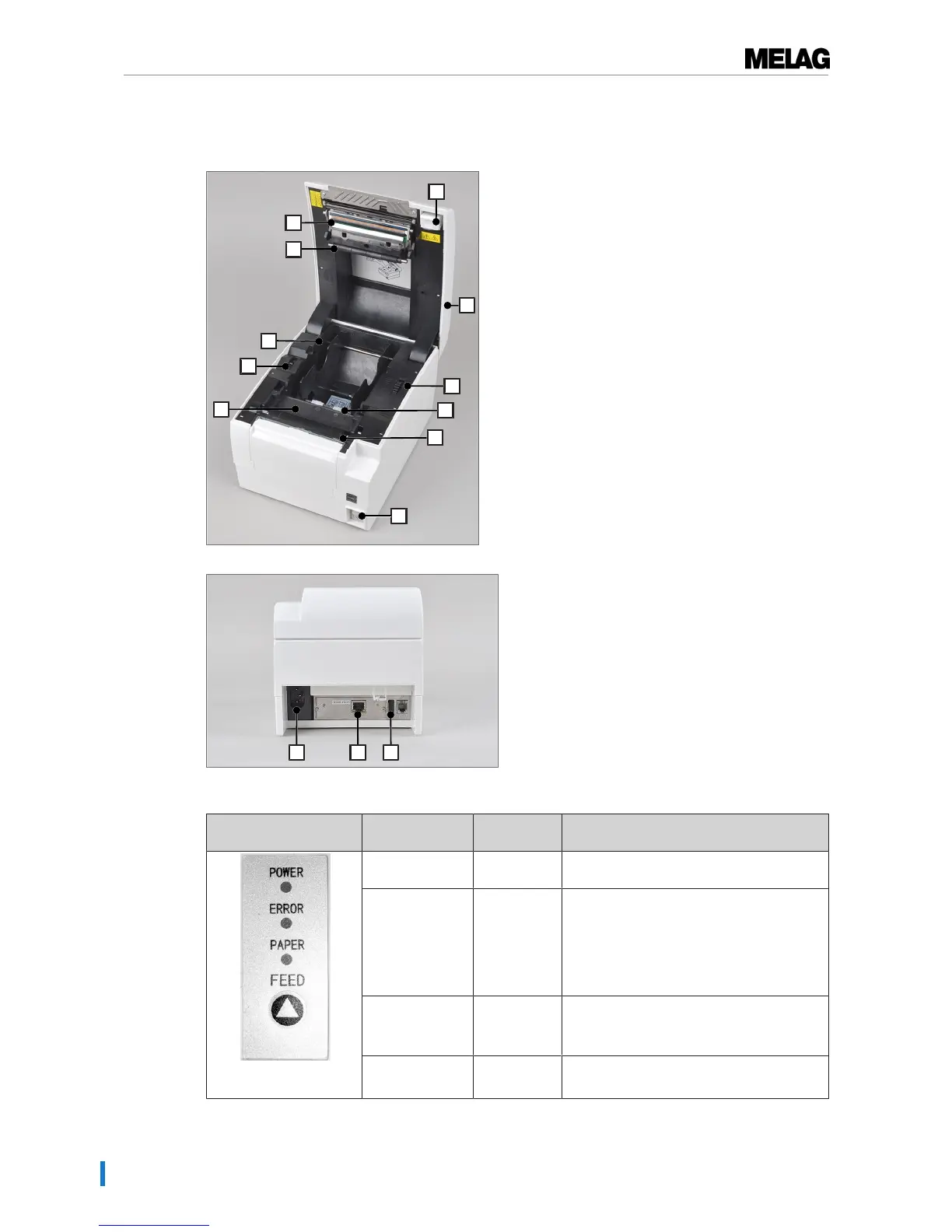
12 Power cable connection
13 Ethernet connection (RJ45)
14 USB connection not occupied
Table1: Operating panel
Operating LED/
operating keys
Display/key State Meaning
POWER Illuminated
green
Device is switched on.
ERROR Flashes red
Illuminates
red
e.g. if the housing cover is open, the print
head overheated, deviations in the input
voltage, cutting knife does not function
correctly
Malfunction (see section General
malfunctions [}page 20])
PAPER Flashes red
Illuminates
red
Label roll almost empty
The label roll has been used up
FEED button Label feed
To navigate in the main menu


 To Next Page