4 Commissioning
15
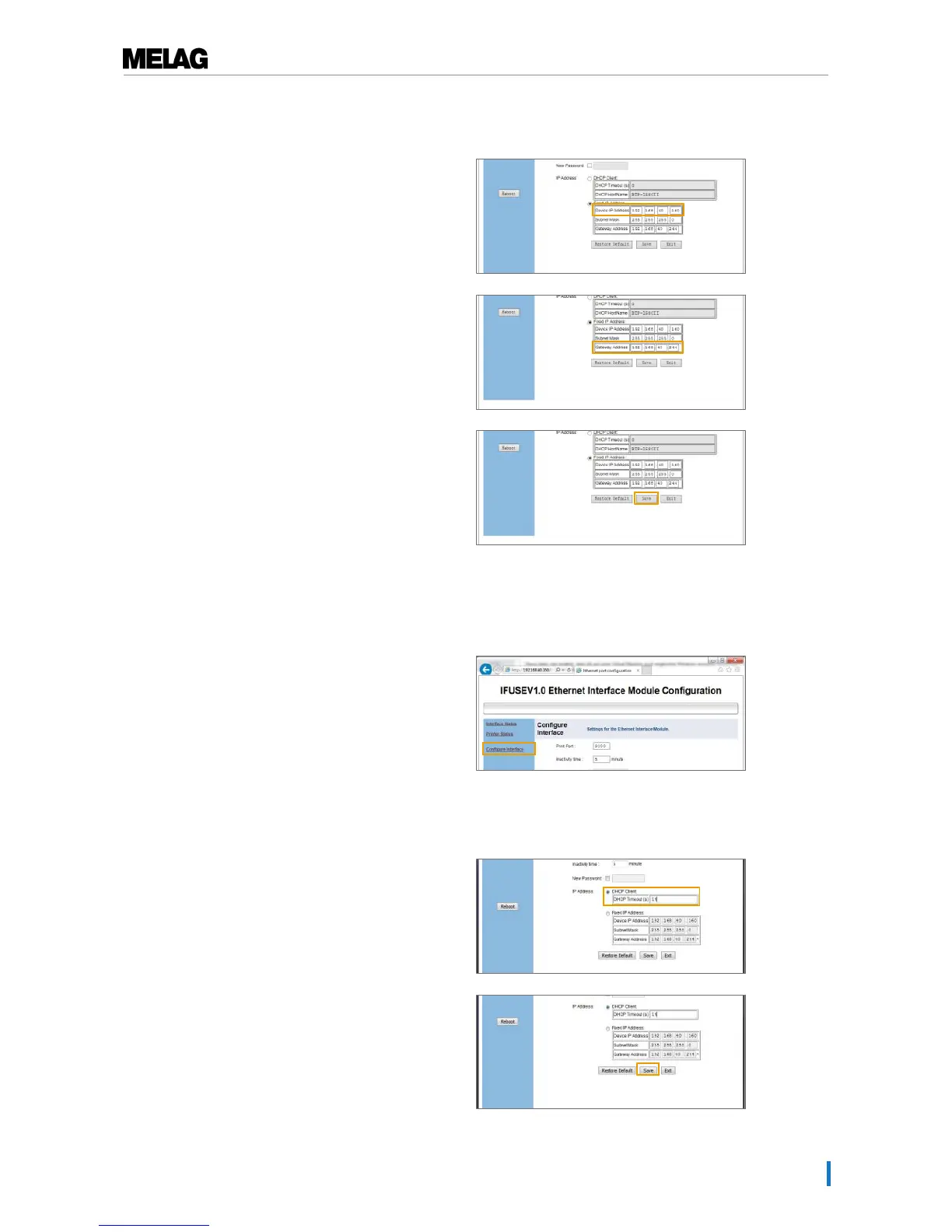
2. Enter the user name “admin”. A password is not
required.
3. Working under IP address, enter the first three
number blocks of the practice network. The last
number block is assigned to the device connected in
the network. A unique number is assigned to every
device connected in the practice network.
4. Working in Gateway Address enter the first three
number blocks of the practice network and a
corresponding number for the fourth number block,
e.g. 244.
5. Accept the settings with [Save].
6. Then select [Reboot] from the left-hand navigation
bar.
Assigning the label printer a dynamic IP address
1. Working in the left-hand navigation bar, select the
Configure Interface menu.
Ê A pop-up window will open.
2. Enter the user name “admin”. A password is not
required.
3. Select the DHCP Client.
4. Accept the settings with [Save].


 To Next Page