8 Logging
40
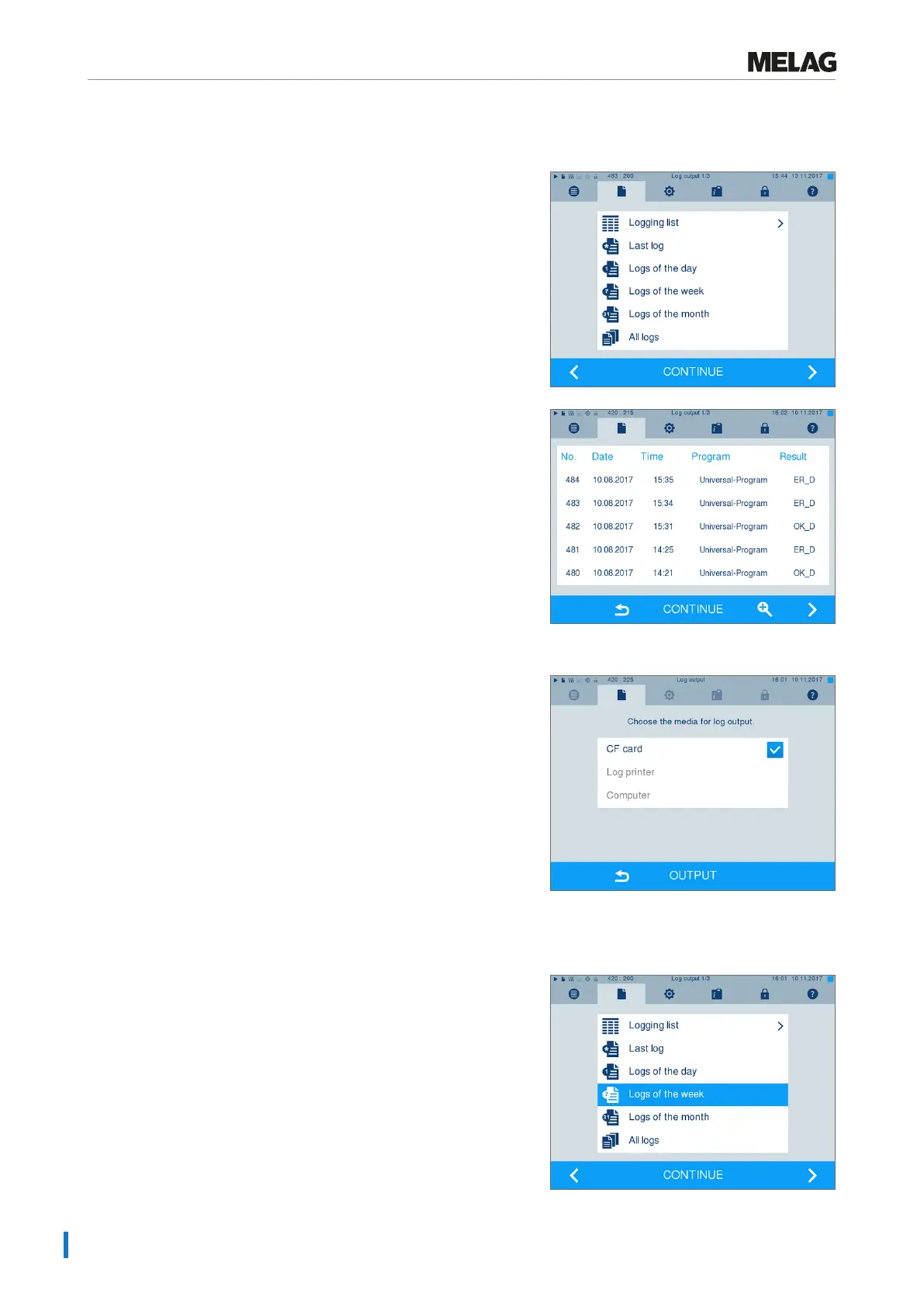
Outputting a log from the log list
Proceed as follows to output a specific log from the internal memory:
1. Navigate to menu Log output and select Logging
list.
2. A list is displayed with all text logs that have been
saved in the internal memory. To facilitate the search,
you can filter the log sorting sequence by date,
program or outcome by selecting the top line.
3. Select a log and press CONTINUE.
4. Select an output medium if required and press
OUTPUT.
Outputting the daily / weekly log etc.
Proceed as follows e.g. to output all the logs of a week:
1. Navigate to menuLog output and select
optionLogs of the week.












 To Next Page