10 Settings
55
3. To start formatting, press the OK button. Confirm
the security query with YES. You can remove the
CF card as soon as formatting has been completed.
Additional drying
Selecting additional drying extends the drying time of conventional drying by 50%. Activating intelligent
drying restricts the criteria for ending the drying phase.
Activating/deactivating additional drying for all program runs
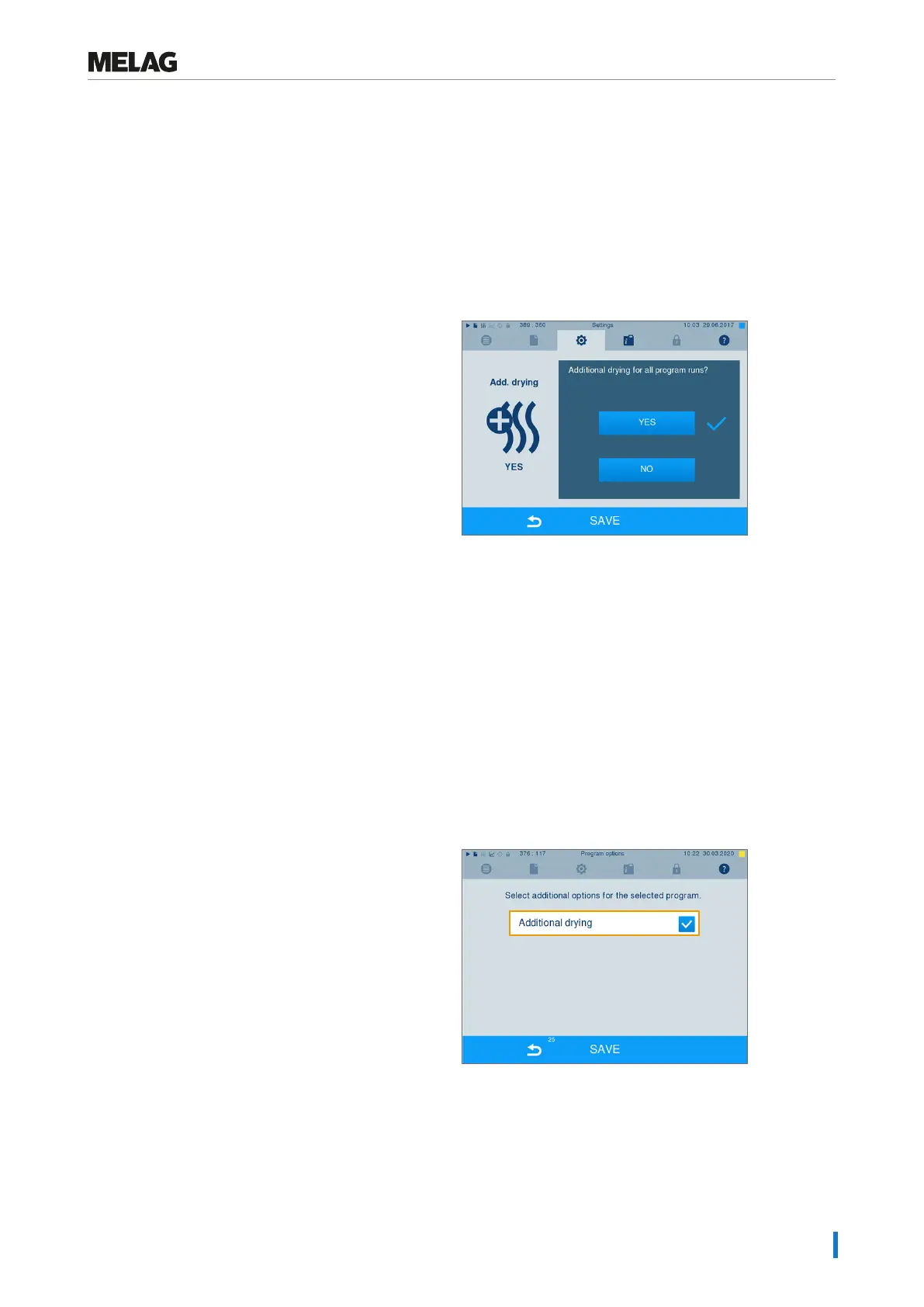
1. Select menu Settings > Additional drying.
The display switches to the settings window.
2. Press pushbutton YES or NO to choose whether
additional drying should be performed during all
subsequent program runs.
3. Confirm with SAVE.
Activating/deactivating additional drying for the current program run
You can activate or deactivate additional drying exclusively for the current program during the program run
and into the sterilization phase. The settings during the program run are not carried over for the subse-
quent program runs.
1. Select the desired program.
2. Press START.
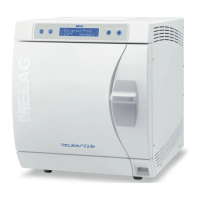
3. Select menu Settings. The display switches to
the following window.
4. Place or remove the checkmark against
optionAdditional drying and confirm with
SAVE.












 To Next Page