10 Settings
46
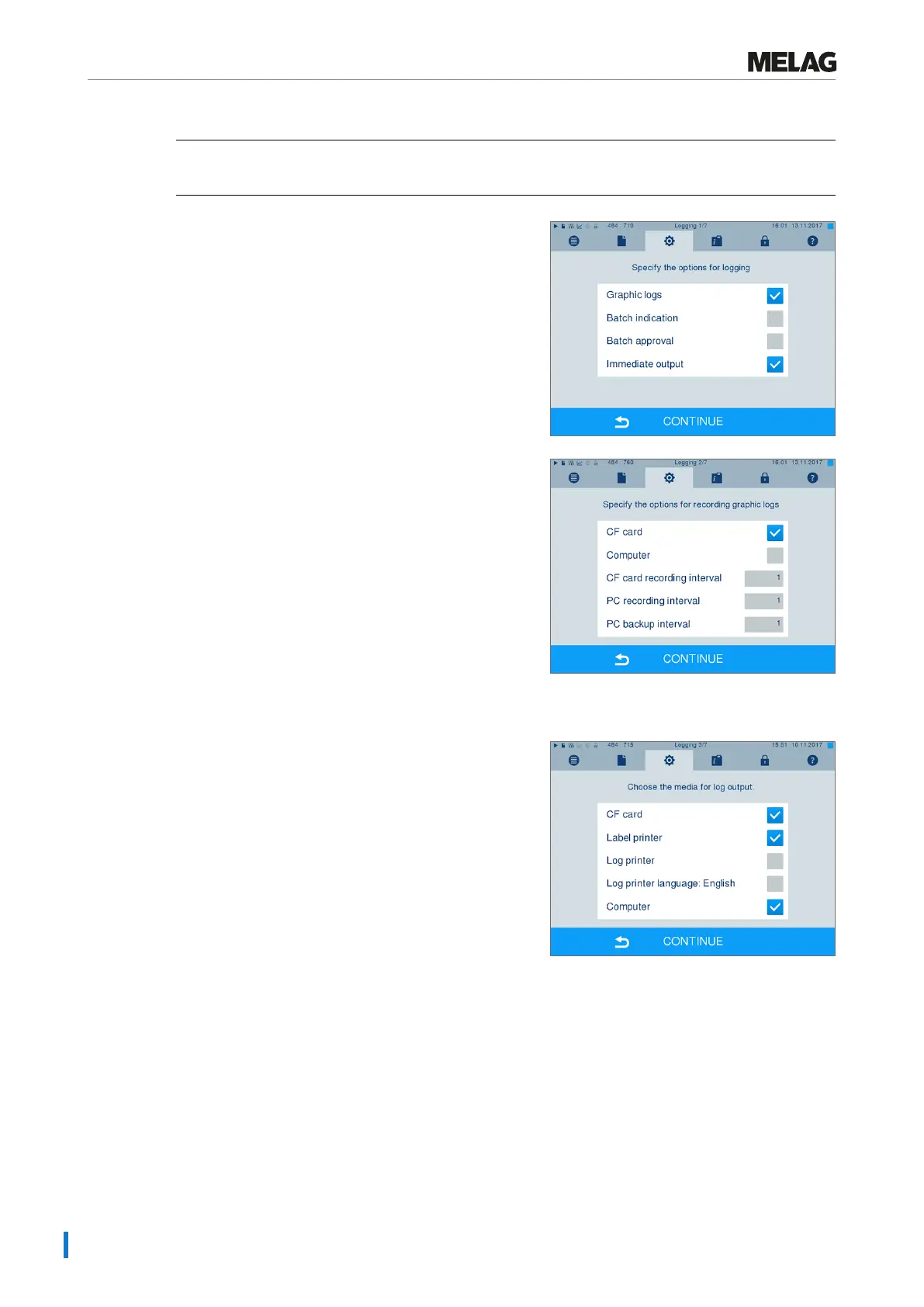
If you wish to output a graphic log (optional) in addition to a text log, proceed as follows:
ü
You are in menuSettings >Logging.
ü
Immediate output is activated.
1. Set a checkmark next toGraphic logs and check
whether the checkmark is also set next to
Immediate output.
2. Press CONTINUE and select the CF card and/or the
computer as the output medium.
3. If necessary, change the intervals and press
CONTINUE.
4. Working in this window, check whether at least one of
the two output media have been selected for text logs.
5. Check whether the activated output medium is
connected (computer) or has been inserted
(CF card).
6. Press repeatedly on CONTINUE until you reach the
summary window.
7. Press SAVE to save the setting.












 To Next Page