10 Settings
48
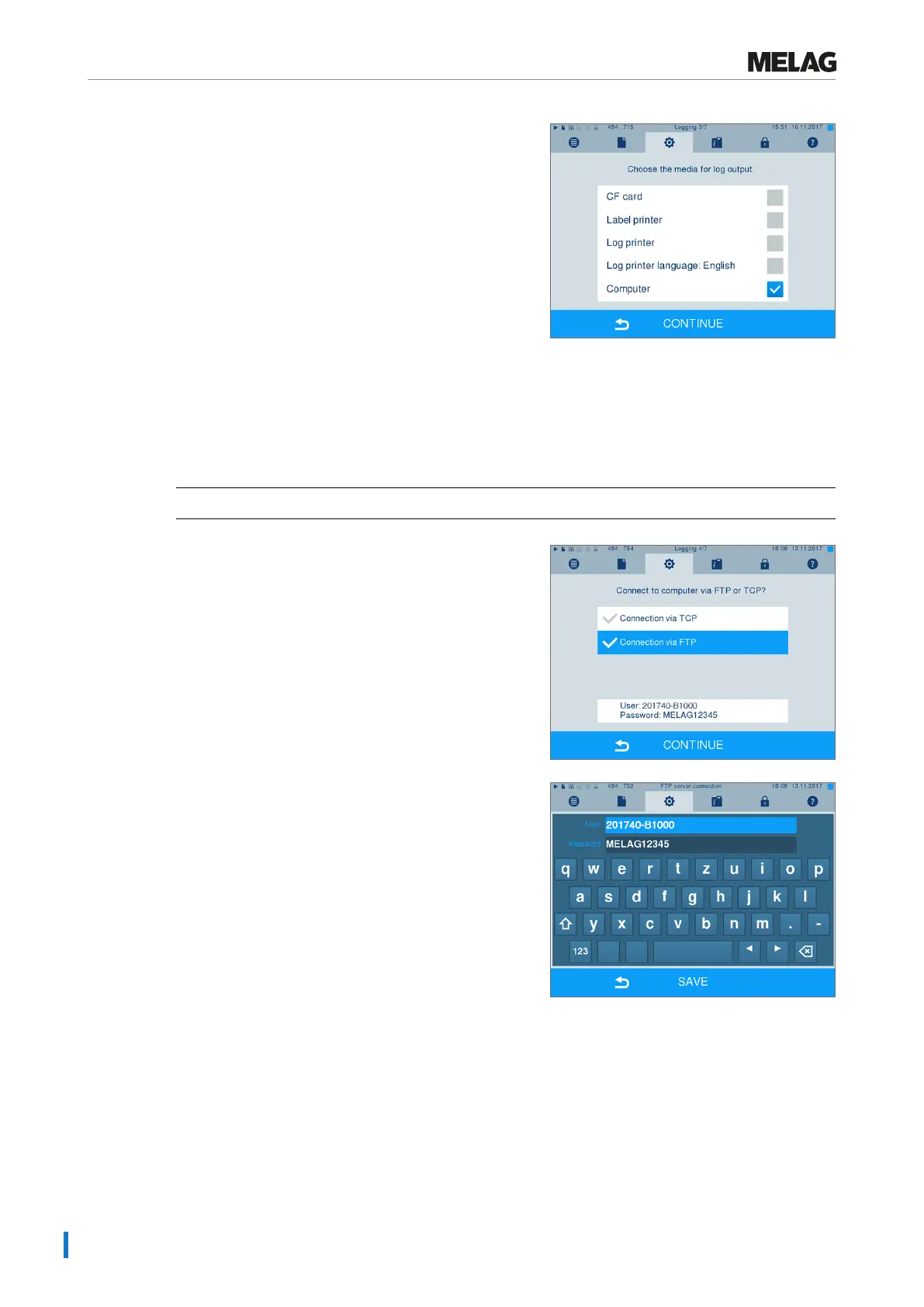
1. Press CONTINUE until you reach the output media
selection window.
2. Select the computer as an output medium and
press CONTINUE.
Ê The selection window opens and asks whether the connection to the computer should be effected via
FTP or TCP.
Connection via FTP
ü
An FTP server or an FTP service is installed on the computer.
1. SelectConnection via FTP. The lower
pushbutton displays the current user data settings
(standard user name: Year of construction +
manufacture number; Password MELAG12345).
2. Press this pushbutton to change the pre-set TCP user
data. The display switches to the settings window.
3. Enter the user name and password and confirm
with SAVE.












 To Next Page