13 Malfunctions
74
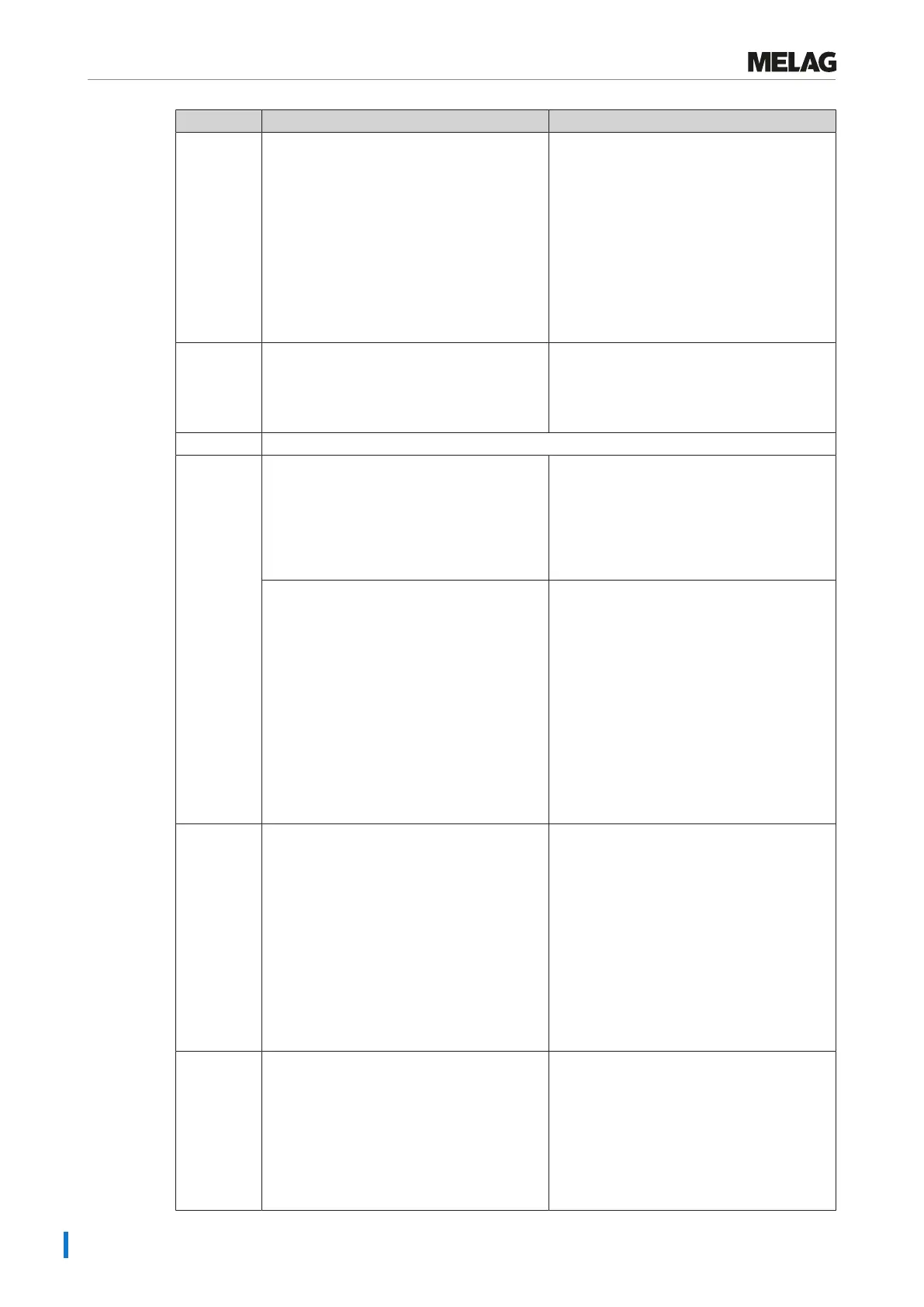
Incident Possible causes What you can do
131 a) The outlet hose is kinked or installed
sagging.
b) The siphon is blocked or the waste water
line is impeded on the building side.
c) Multiple devices have been connected to a
single siphon and imped each other during
water discharge.
d) The chamber filter "Pressure release" is
blocked.
a) Check the installation of the outlet hose.
This must be installed without kinking or
sagging and at a constant decline.
b) Check whether the building siphon or the
waste water line is are blocked.
c) If multiple devices are operated
simultaneously, we recommend the
installation of an additional siphon.
d) Remove the "Pressure release” chamber
filter and check whether it is soiled/blocked
by packaging If necessary, clean the
chamber filter.
132 The steam sterilizer is overloaded or the load
has been arranged badly.
Comply with the maximum permissible load
quantities, see Loading the steam sterilizer
[}page23]. Ensure that the load does not
come into direct contact with or covers the
steam injection nozzles.
133 see event 124
135 a) The water inflow tap for the cooling water
supply has not been opened.
b) The cooling water hose is kinked.
c) The water supply in the practice is
interrupted.
a) Open the water inflow tap completely and
check the central water inflow tap.
b) Check the installation of the cooling water
hose. It must be installed without kinking and
may not be crushed.
c) Check the shut-off valve for the building
water connection.
If a leakage water detector (water stop) is
installed:
d) The leakage water detector is without
function.
e) The inflow filter in the leakage water
detector is blocked by soiling in the building
supply.
d ) Unplug the leakage water detector control
device, wait approx. 30 s and plug it back in
again. A switching noise on the water inflow
tap (black box on the water inflow tap) must
be audible.
e) Clean the inflow filter in the leakage water
detector valve as follows:
1. Close the water inflow tap and start a
vacuum test.
2. Wait until the device displays a
malfunction message and then switch it off.
3. Unscrew the leakage water detector valve
on the water inflow tap and check the inflow
filter; clean it if necessary.
136 a) The surrounding temperature of the steam
sterilizer is too hot.
b) The ventilation slots in the side walls are
clogged/blocked.
c) The steam sterilizer is installed. The
minimum clearance to the surrounding
surfaces has not been maintained.
d) The door was left open after loading or
unloading and hot steam has escaped from
the sterilization chamber.
Switch off the steam sterilizer and allow it to
cool for approx. 1 h.
a) Comply with the requirements at the
installation location and the maximum
ambient temperature (see Technical
Manual).
b) Clean the ventilation slots and remove any
objects covering them.
c) Maintain a minimum clearance to the
surrounding surfaces (see information in the
Technical Manual).
d) Always close the door after loading or
unloading.
175 The overheat control switch of the main
heating has tripped. This notification may be
issued in alternation with E176: ACOUT 02
open.
1. Switch off the steam sterilizer and press
the reset button overheat control on the fore
side of the steam sterilizer at the bottom
right-hand side (behind the cover) back in.
2. Acknowledge the malfunction message.
3. Switch off the steam sterilizer and back on
again and then perform an empty sterilization
run if necessary. Then the steam sterilizer is
ready for operation.












 To Next Page