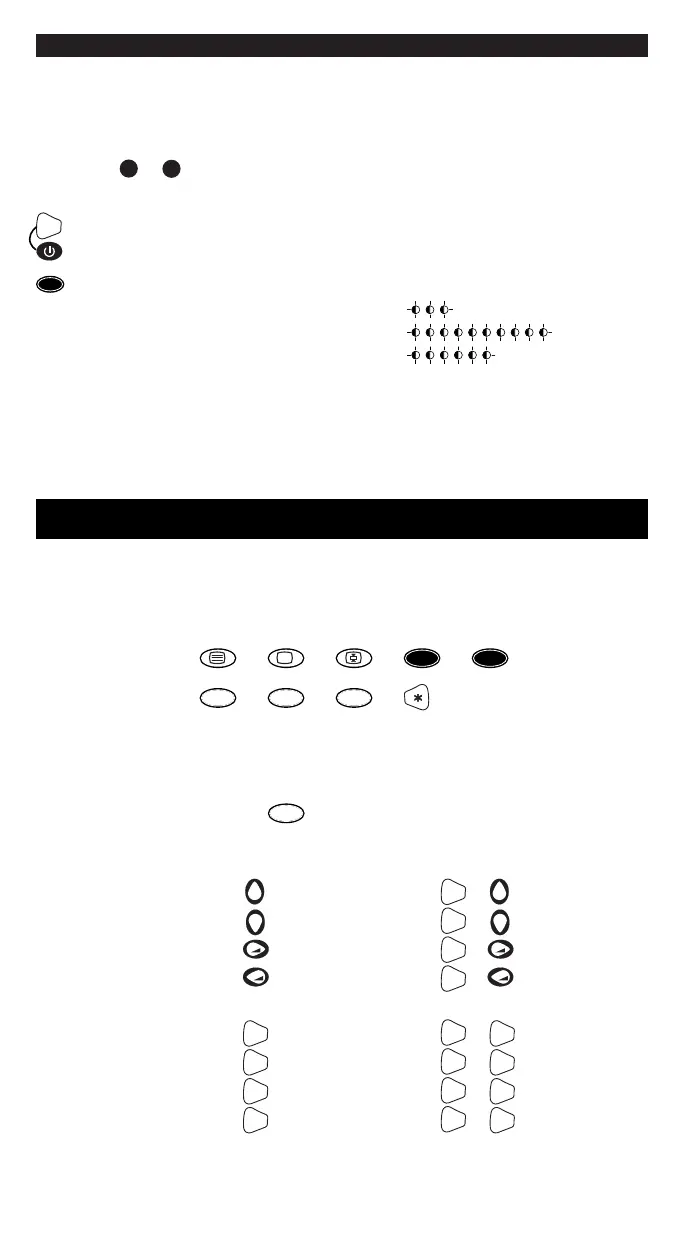
Count the number of flashes for
each code number.
For example, for the code 306, the
button flashes three, zero and six
times to give:
= 3
= 0
= 6
4. Note this code on the label
inside the battery cover,
for rapid consultation.
NOTING THE PROGRAMMED CODE
To find the code for your remote control:
1. Hold down the SHIFT and ON/OFF
buttons together until the light
indicator at the top starts to flash.
2. Release the SHIFT and ON/OFF
buttons and then press and release
the 1-/-- button.
3. After a few seconds, the light
indicator communicates the
code you are looking for by flashing
the three numbers separately.
USING THE ADDITIONAL COMMANDS WHICH DO NOT
APPEAR ON THE KEYPAD
Although not indicated on the keypad, some buttons can be used for
additional commands.
1. Use your Facile remote control to find them by pressing the following buttons one by one:
2. The most frequently used additional commands like MENU SCROLL –COLOUR-
BRIGHTNESS and NORMALISATION are located as follows:
normalisation
OK
1-/--
Always write down the 3-digit code for your remote control on the label
inside the battery cover after running the search and saving the code.
This may be useful if you need to reprogram your remote control in the
event of accidental cancellation or when you change used batteries.
If you forget to write down the code or use the remote control programming
procedures A or C ... don’t worry!
menu (up) +
menu (down) +
menu (right) +
menu (left) +
menu (up)
menu (down)
menu (right)
menu (left)
brightness (-) red
brightness (+) green
color (-) yellow
color (+) blue
brightness (-) + red
brightness (+) + green
color (-) + yellow
color (+) + blue
1-/--
2-
MENU
OK
AV








 To Next Page