EasyManua.ls Logo

MELICONI SENIOR 2 RC - User Manual

MELICONI SENIOR 2 RC
7 pages
Print Icon
To Next Page IconTo Next Page
Loading...
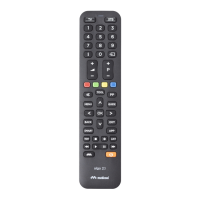
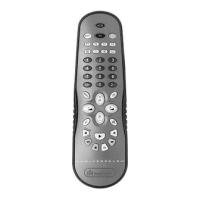
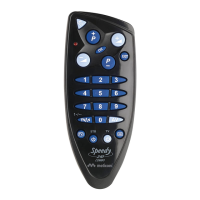
MELICONI remote control SENIOR 2 RC
TASTO
BUTTON
TV
TER / SAT
1
SAMSUNG
ADB I.CAN / SKY
2
LG
TELESYSTEM
3
SONY
SAMSUNG
4
PANASONIC
METRONIC
5
SHARP
DIGIQUEST
6
PHILIPS
STRONG
7
TELEFUNKEN
HUMAX
8
MIVAR / UNITED
ID SAT / ZODIAC
9
TOSHIBA
COBRA
0
ALTRE MARCHE OTHER BRANDS
Meliconi SpA,
Via Minghetti 10,
40057 Cadriano di Granarolo Emilia, (BO) Italy
web: www.meliconi.com
email: telecomandi@meliconi.com
The symbol showing a wheelie bin with a cross through it which appears on the device indicates that at the
end of its useful life the product must be collected separately from other waste. Therefore, at the end of the
device’s life, you must take it to appropriate centres for the differentiated collection of electrical and
electronic waste, or return it to the retailer when purchasing a new device of equivalent type, on a one-for-
one basis. Suitable differentiated collection to allow subsequent recycling of the decommissioned device,
with environmentally-compatible treatment and disposal, help to prevent any negative effects on the
environment and health and to promote the recycling of the materials of which the device is made.
MANUAL SEARCH REFERENCE TABLE
Question and Answer IconNeed help?

Do you have a question about the MELICONI SENIOR 2 RC and is the answer not in the manual?

MELICONI SENIOR 2 RC Specifications

General IconGeneral
BrandMeliconi
ModelSENIOR 2 RC
CategoryRemote Control
Battery TypeAAA
Number of Batteries2
MaterialPlastic
ColorBlack
Power SourceBattery
TypeRemote Control
CompatibilityTV
Range10 meters

Summary

MANUAL SEARCH REFERENCE TABLE

SAFETY WARNINGS

INSERTING THE BATTERIES

BATTERIES TEST

Procedure to check battery level by pressing the ON/OFF button.

ENTERING THE CODE DIRECTLY

SETTING VIA MOBILE (SMS)

SETTING VIA MANUAL SEARCH

ADDITIONAL CHECK

BUTTONS AND FUNCTIONS USE

DISPLAY CODE IN USE

TROUBLESHOOTING

NEW REMOTE NOT WORKING

Troubleshooting steps for a new remote control that is not working.

REMOTE STOPS WORKING

Steps to take if the remote control stops functioning correctly.

FUNCTIONS NOT AVAILABLE

Troubleshooting for missing or incorrect remote control functions.

CHECK INFRARED SIGNALS

Method to verify if the remote control emits infrared signals.

CUSTOMER SERVICE

Related product manuals