EasyManua.ls Logo

MELICONI MYCRO - User Manual

MELICONI MYCRO
8 pages
Go to English
Print Icon
To Next Page IconTo Next Page
Loading...
Vi ringraziamo per aver scelto MELICONI.
Questo telecomando universale semplificato possiede le
principali funzioni della maggior parte dei telecomandi TV
in circolazione.
Prima di utilizzare il telecomando è necessario rimuovere la
linguetta protettiva della batteria e programmarlo.
Conservate il libretto istruzioni nel caso in cui
doveste avere necessità di consultarlo in futuro.
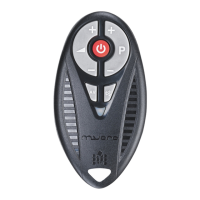
UTILIZZO TASTI E FUNZIONI
I
UTILIZZO DELLA BATTERIA
Al momento dell’acquisto il telecomando è già fornito di batteria al litio
tipo CR2032. Al primo utilizzo, ricordarsi di rimuovere la linguetta
protettiva che fuoriesce dallo sportello batteria (fig. 1). Per sostituire la
batteria, aprire lo sportellino ruotandolo in senso antiorario aiutandosi ad
es. con una moneta, e inserire la pila come illustrato (fig. 2)
Ricordate di sostituire la batteria una volta all’anno.
Sostituite la batteria se durante l’utilizzo del telecomando
l’indicatore luminoso inizia a lampeggiare.
La batteria sta per esaurirsi.
Per evitare di riprogrammare il vostro telecomando dopo avere tolto la
batteria, cercate di non lasciarlo per più di 5 minuti senza batteria.
Nel caso in cui doveste riprogrammare il telecomando è utile aver annotato il
codice relativo al vostro TV sull’etichetta adesiva che
trovate all’interno del coperchio batteria.
3
ON/OFF per spegnere
il TV e in alcuni casi per
accendere il TV.
Per selezionare il
programma successivo
o per accendere il TV.
Per controllare il
volume dell’audio
+.
Interrompe e
ripristina l’audio.
Per selezionare il
programma
precedente
o per accendere
il TV.
Premere insieme
per accendere il TV
sul programma 1.
Per controllare
il volume dell’audio
-.
Indicatore luminoso.
Per selezionare
un terminale di
entrata esterno.
(fig. 1)
(fig. 2)
M9996557 Opuscolo Mycro 17 Lingue B_N 88x198.qxd 12-
Question and Answer IconNeed help?

Do you have a question about the MELICONI MYCRO and is the answer not in the manual?

MELICONI MYCRO Specifications

General IconGeneral
Pre-programmedYes
Batteries2
Battery TypeAAA
ColorBlack
Device TypeRemote Control
CompatibilityTV, DVD, SAT
Range10 m

Summary

Using the Keys and Functions

Remote Control Functions

Overview of key functions including power, volume, program selection, input switching, mute, and special program 1 activation.

Use of the Battery

Battery Handling and Replacement

Instructions for initial battery tab removal, replacement, frequency, low indicator, and code notation for reprogramming.

Set-Up

Programming Your Remote Control

Step-by-step guide to program the universal remote control to your TV using code search.

Alternative Programming Method

Procedure for programming if the original remote lacks program selection keys, using P+ and P- keys.

Troubleshooting Programming Errors

Guidance on checking key functionality and re-running the search if commands are incorrect.

Programmed Code Noting

Recording the TV Code

Procedure to find and note down the programmed TV code on the battery compartment cover label.

Re-Programming Your Remote Control By Entering The Code Noted Down

Direct Code Entry Reprogramming

How to quickly re-program the remote using a previously noted nine-digit code.

Using Your Remote Control

Turning On Your TV

Methods to turn on the TV after programming, including using P+, P-, the Power button, or P+ and P- together.

Troubleshooting

Remote Not Responding (No Light)

Checks for battery fit and replacement when the light indicator does not illuminate.

Remote Not Responding (Light On)

Troubleshooting steps for when the light illuminates but the TV/VCR does not respond.

Indicator Light Flashing

Solution for the TV not responding when the indicator light flashes, typically indicating a low battery.

Partial Command Functionality

Advice for when not all remote commands work correctly, suggesting code reset or re-programming.

Program Selection Issues

Explanation for P+/P- keys not selecting programs, suggesting the original remote might not have supported this function.

Info-Line

Support Resources

Information on seeking help via the booklet or the Meliconi Internet site for queries.

Related product manuals