
 Need help?
Do you have a question about the MELICONI TLC04 and is the answer not in the manual?
Remote control and batteries should not be exposed to excessive heat; the product is not a toy.
Requires 2x 1.5V AAA/LR03 batteries, not rechargeable. Test LED indicator for battery level.
Do not leave exhausted batteries inserted to prevent damage from potential leakage.
Ready to use if code matches; follow instructions if functions fail or for specific code activation.
Use QR code or website to find specific codes and set them into the remote control.
Procedure to automatically find and set the correct code for the TV by switching it off.
Enter a known specific code directly into the remote control to activate it.
Steps to remove a specific function assigned to a single button on the remote.
Enable specific functions via website and assign them to remote buttons; recall original functions.
Procedure to identify and note the currently active code for future reference or activation.
Restores the remote control to its initial factory settings, losing all user configurations.
Addresses new remote not working, loss of control, and unavailable functions, suggesting checks and resets.
Guide to verify if the remote control is emitting infrared signals using a camera.
Details the 2-year warranty and conditions for its validity, requiring a sales receipt.
Provides Meliconi SpA contact details for technical assistance via web and email.
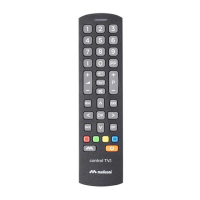
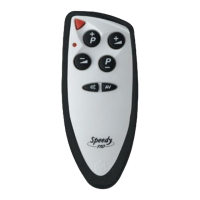
The Meliconi TLC04 is a remote control specifically designed for PHILIPS digital television sets. It functions by reproducing infrared signals that correspond to the original remote control's commands. However, it does not support functions that operate in radio frequency, such as voice commands and pointers. A key feature of this remote control is its permanent memory, which ensures that settings are retained even when batteries are removed.
The Meliconi TLC04 is typically ready for use immediately after inserting batteries, as it comes pre-set with a specific code from the factory. If initial setup doesn't work or some functions are not performing as expected, users can activate the remote control through several methods:
The product comes with a 2-year warranty. Users should keep their sales receipt as proof of purchase. The warranty is voided if the product is tampered with or used improperly.
The symbol of a crossed-out wheelie bin on the device indicates that it must be collected separately from other waste at the end of its useful life. It should be taken to appropriate centers for differentiated collection of electrical and electronic waste or returned to the retailer when purchasing a new equivalent device. This ensures proper recycling and prevents negative environmental and health impacts.
 General
| Brand | MELICONI |
|---|---|
| Model | TLC04 |
| Category | Remote Control |
| Language | English |









 To Next Page