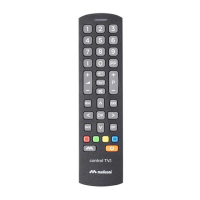
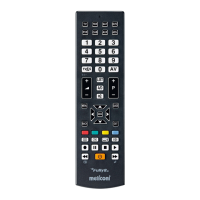
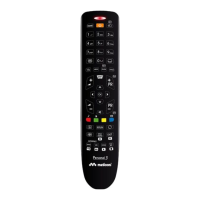
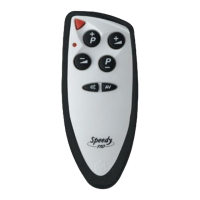
The functions of the buttons on the MELICONI remote control are only available if the original device is equipped with it.
Sometimes some functions of the original remote control are not directly present on the MELICONI remote control keypad.
To enable them, connect to the www.cme.it page, use the on-line tool ACTIVATION OF REMOTE CONTROL and continue
until you see the list matching buttons between the original remote control and the MELICONI remote control.
If the function you want to play is matched with an number in orange color, operate as follows:
• On the MELICONI remote control press and hold the button.
• When the LED turn on, without releasing the button, point the remote control towards the device
and enter the previously identified number corresponding to the function you want to get. (at the last digit
pressure, the remote control already transmits this function)
• Release the buttons; to match the function obtained to a MELICONI remote control button, within 30
seconds, press and hold the desired button.
• Wait three flashes indicate that storage; release the button. (the used button loses the original function
that will be called by setting again the activation code)
For any future activation of the remote control, it is advisable to extract and note the code in use, operate as follows:
• On the MELICONI remote control press and hold the button until the LED lights up; release.
• Enter the code 0010.
• After a pause of several seconds, the LED produces four sets of flashes, spaced out,
corresponding to the code to be obtained. Count the number of flashes. Each set of flashes
corresponds to one digit in the code. Ten flashes correspond to the digit zero “0”.
(example code obtained = 1701)
• Make a note of the code obtained. You may need it in future.
If necessary it is possible to completely reset the remote control and bring it back to the initial conditions.
WARNING : All user settings will be lost. Operate as follows:
• On the MELICONI remote control press and hold the button until the LED lights up; release.
• Enter the code 0100.
• Three final flashes indicate that the operation has been completed successfully.
web: www.cme.it e-mail: telecomandi@meliconi.com
IMPORTANT! To obtain technical assistance, it is essential to indicate the BRAND and MODEL of the appliance you intend
to control and the name of the MELICONI remote control you are using.



 To Next Page
 Loading...