14
Browsing folder / file
•
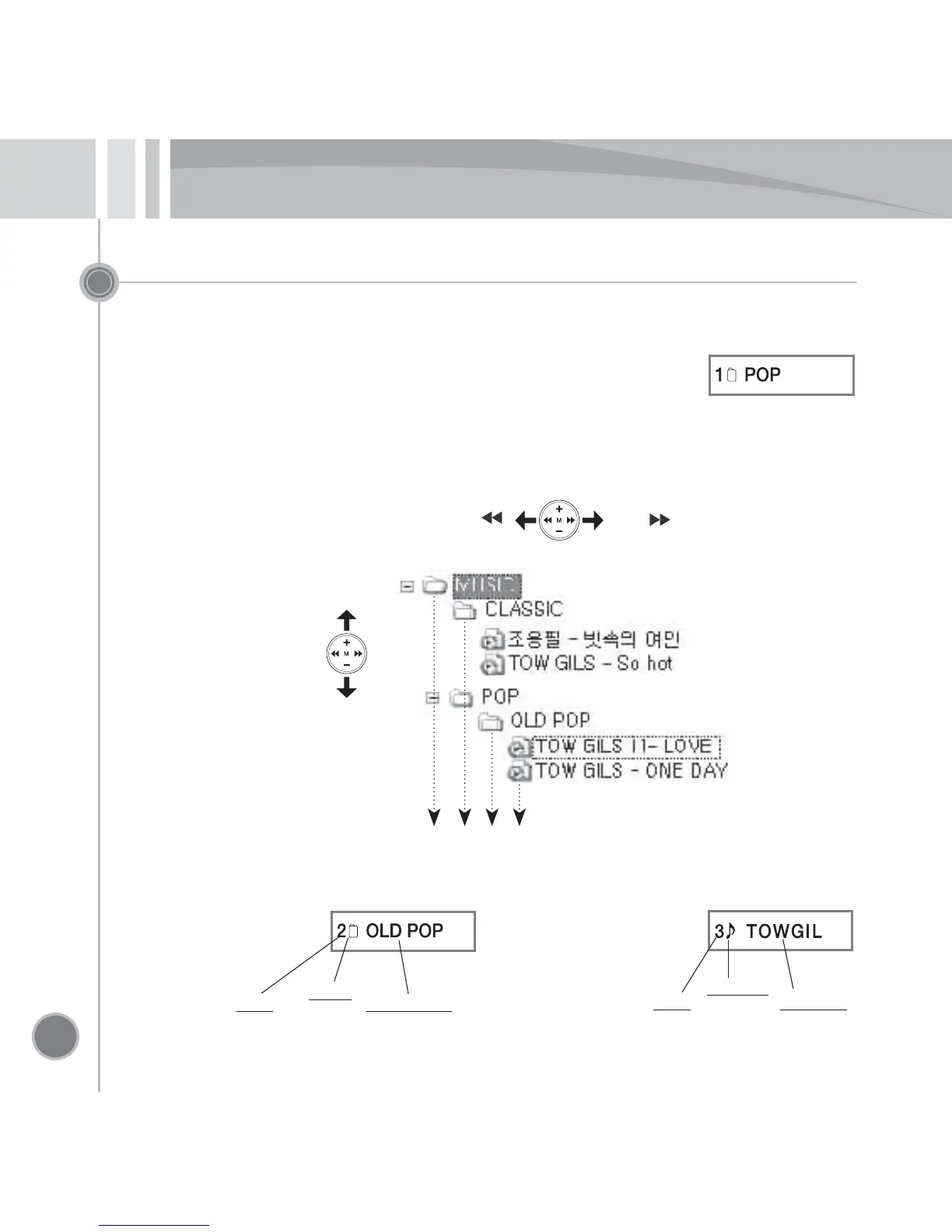
The browsing function searches for the file, which can search for the file to play immediately
even while playing.
•
Pressing the MODE button while pausing or playing (within 1 second)
switches to the BROWSE mode.
•
Pressing and holding the MODE button for 3 seconds or longer cancels the BROWSE mode.
•
When it is selected as MUSIC or VOICE mode, it is possible to search for ‘MUSIC’ or ‘VOICE’
folder only.
.
Browsing: Folder screen
Browsing: Music file screen
Browsing
within the folder
Move to the higher/lower folder
(Jog button)
( + )
( - )
Previous ( )
Next ( )
Level
Folder
Folder name
Level
Music file
File name
Level 0
Level 1
Level 2
Level 3


 To Next Page