10
OPERATION (CONTINUED)
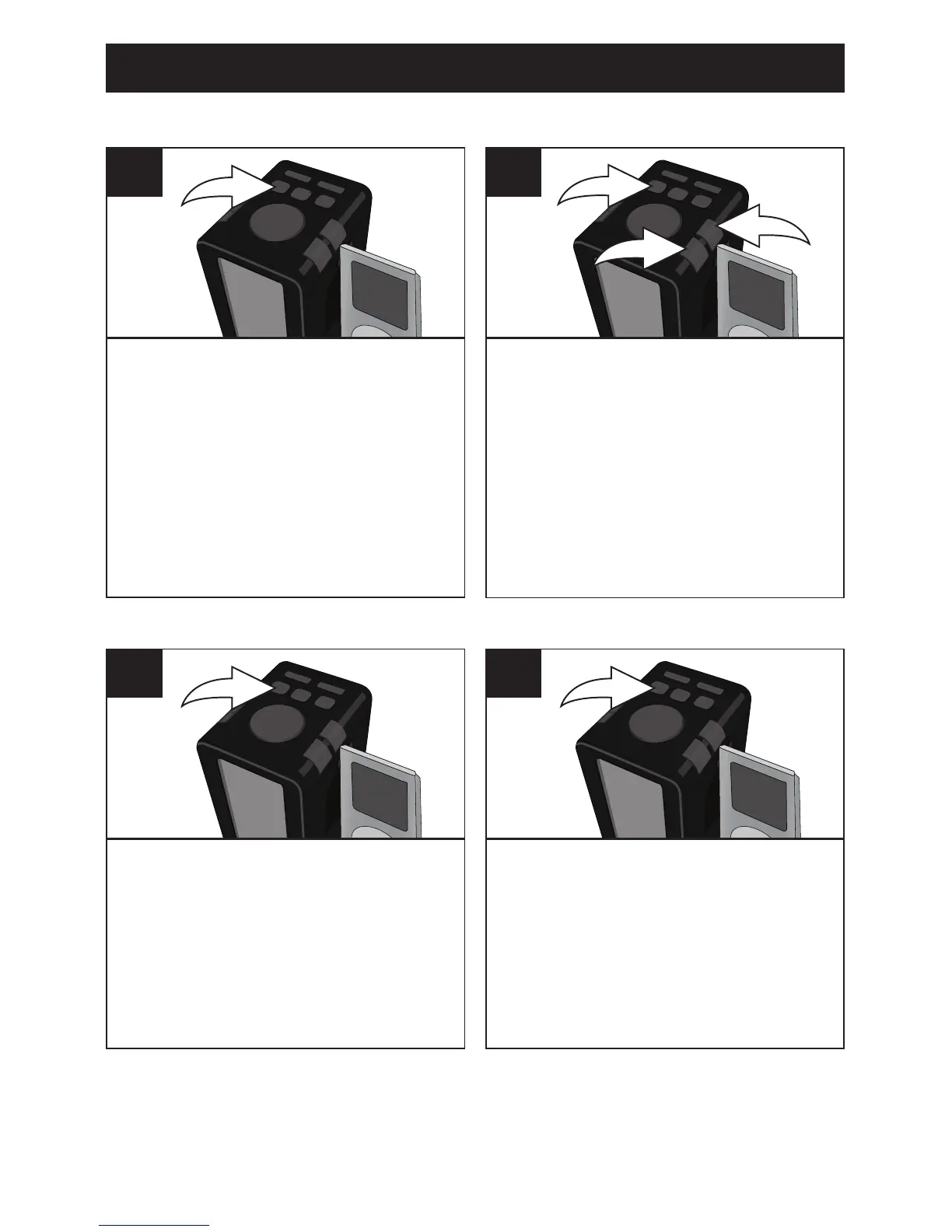
Follow Steps 1-3 on the previous
page to tune a station. Press
and hold the Play/Pause (®p)/
RECALL STATION button; the
Preset Number will blink in the
display.
1
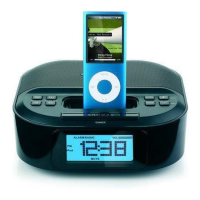
While the Preset Number is
blinking, press the VOLUME
Up (+) 1 or Down (–) 2 button
to select a desired Preset (P1-
P6). Press the Play/Pause (®p)/
RECALL STATION button 3 again
to conrm; the station will be saved
into memory. Repeat to program
up to six Presets, as desired.
1
2
3
2
SETTING THE SIX RADIO PRESETS
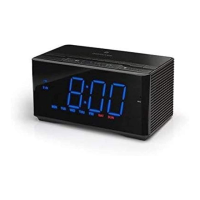
Follow Steps 1-2 on the previous
page to turn the unit on and select
the FM Radio mode. Press and
release the Play/Pause (®p)/
RECALL STATION button; the
Preset Number will appear in the
display.
1
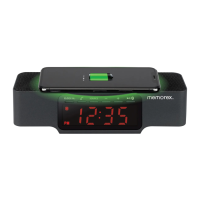
Repeatedly press the Play/Pause
(®p)/RECALL STATION button
to select and tune in the desired
Preset (1-6).
2
RETRIEVING THE SIX RADIO PRESETS



 To Next Page