9
OPERATION (CONTINUED)
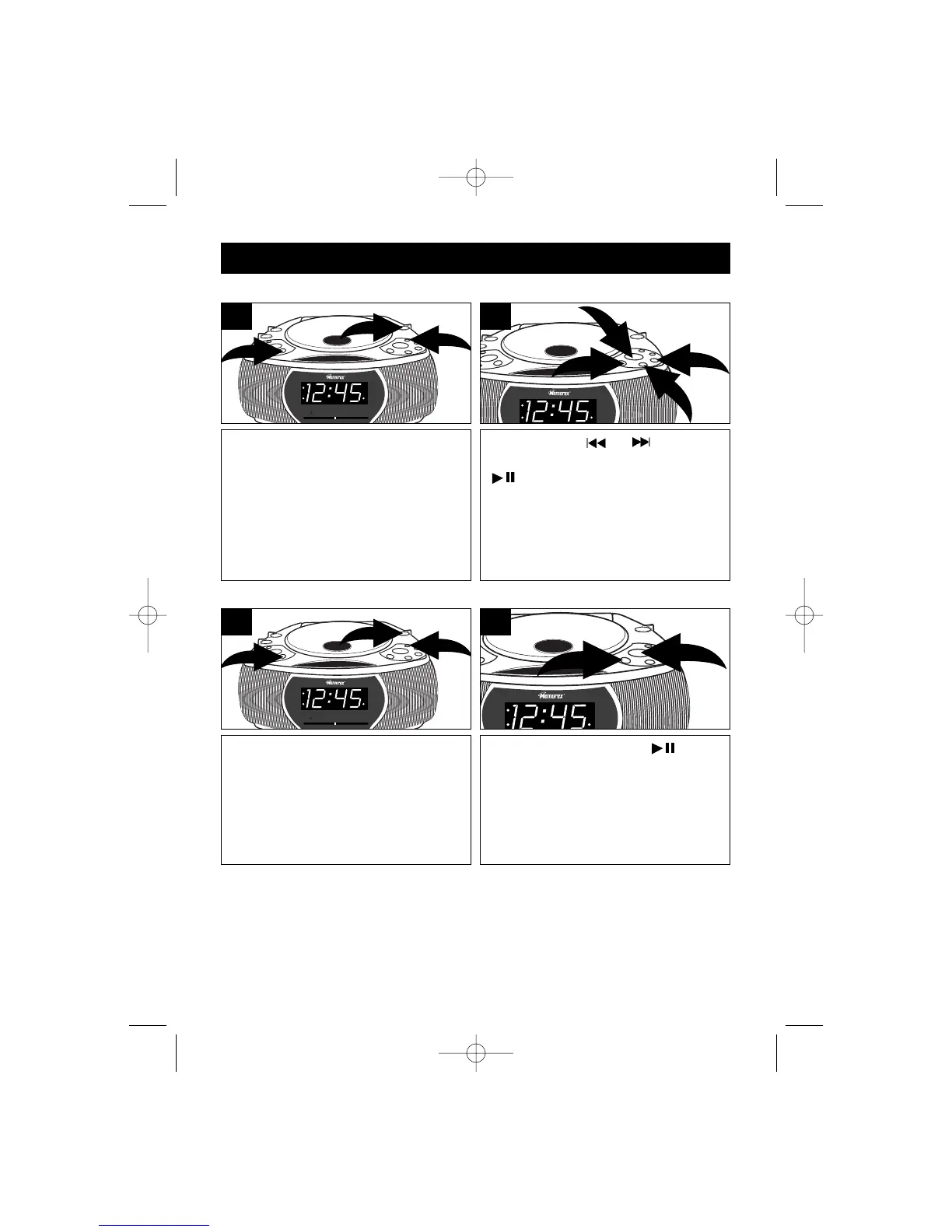
Press the POWER ON/OFF button ❶
to turn the unit on; the POWER
indicator will light. Slide the Function
switch ❷ to the CD position. Press the
REPEAT button ❸ once; the REPEAT
indicator will blink.
3
1
2
1
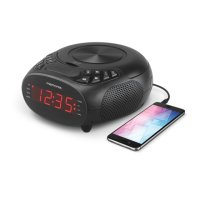
Press the SKIP or button ❶ to
select a track and the PLAY/PAUSE
(
) button ❷ to start playback and
the unit will play the same track over
and over until the STOP (■) button ❸
is pressed.
1
1
3
2
2
TO REPEATEDLY PLAY BACK ONE TRACK
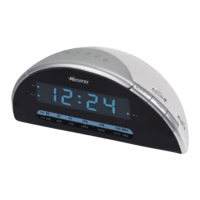
Press the POWER button ❶ to turn
the unit on; the POWER indicator will
light. Slide the Function switch ❷ to
the CD position. Press the REPEAT
button ❸ twice; the REPEAT indicator
will light solid.
3
1
2
1
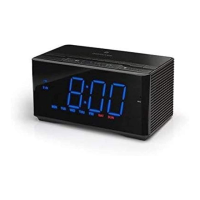
Press the PLAY/PAUSE
(
) button
❶ to start playback and the unit will
then play all the tracks on the CD over
and over until the STOP (■) button ❷
is pressed.
1
2
2
TO REPEATEDLY PLAY BACK ALL TRACKS
MC2862 O/M.QXD 9/27/02 10:35 AM Page 9



 To Next Page