11
OPERATION (CONTINUED)
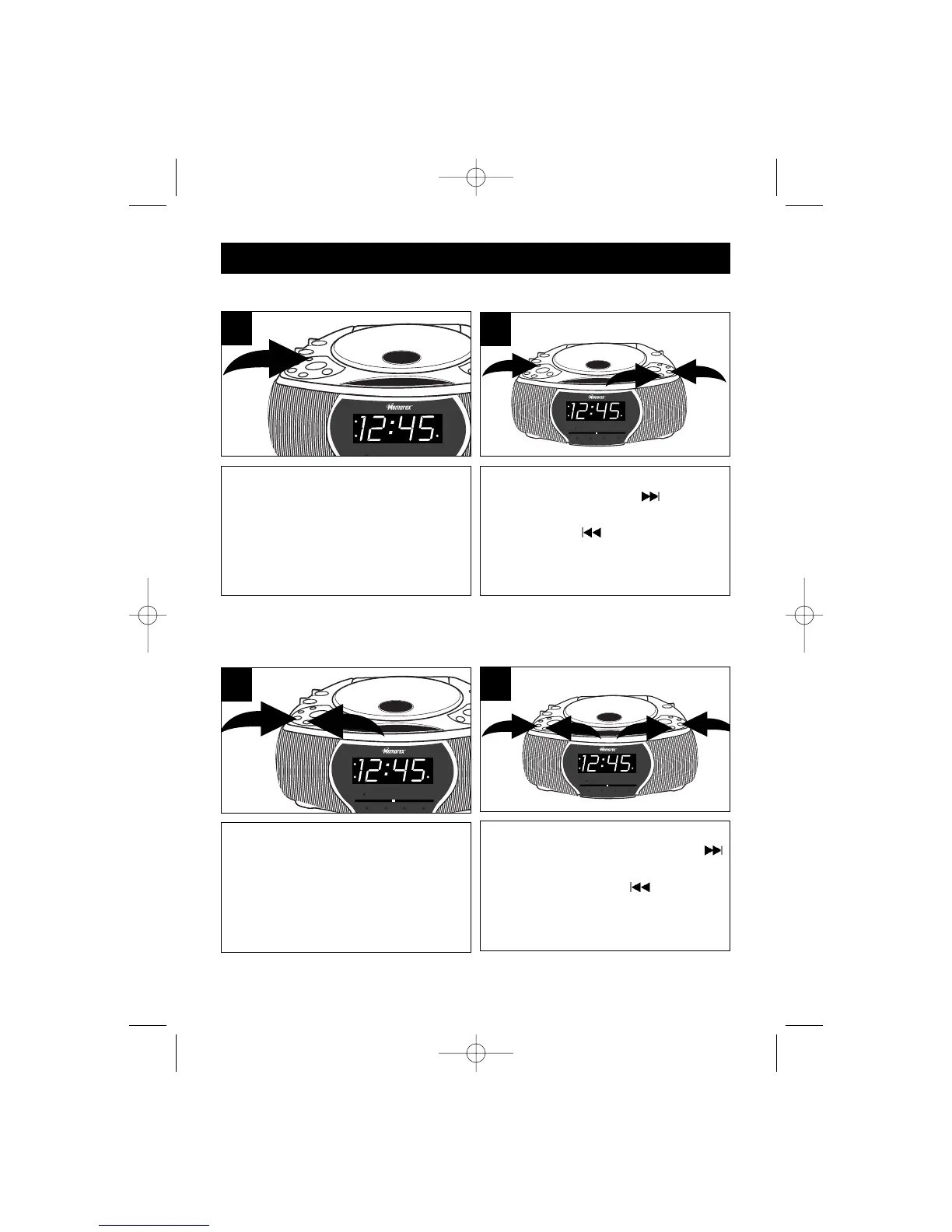
TO SET OR RESET THE ACTUAL TIME
Press and hold the desired ALARM
button (AL1 or AL2).
1
While holding the desired ALARM
button ❶, press the SKIP/HOUR
button ❷ to set the desired alarm hour
and the SKIP/MINUTE button ❸ to
set the desired alarm minute.
2
1
1
3
2
Press and hold the CLOCK button; the
time will blink.
1
While holding the CLOCK button ❶,
press the SKIP/HOUR button ❷
to set the present hour and the
SKIP/MINUTE button ❸ to set the
present minute.
2
1
3
2
TO SET OR RESET THE ALARM TIME
MC2862 O/M.QXD 9/27/02 10:35 AM Page 11



 To Next Page