EasyManua.ls Logo

Memorex MKS2451 - User Manual

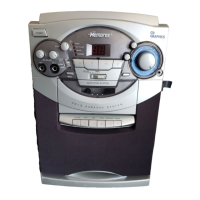
Memorex MKS2451
17 pages
Print Icon
To Next Page IconTo Next Page
Loading...
PORTABLE CD/CD+G KARAOKE
SYSTEM WITH CASSETTE
RECORDER
MODEL: MKS2451
BEFORE OPERATING THIS PRODUCT, PLEASE READ THESE
INSTRUCTIONS COMPLETELY.
OPERATING INSTRUCTIONS
MKS2451 O/M.QXD 7/9/02 7:50 AM Page 17

Questions and Answers

  • K
    Kim LandryJul 30, 2025
    Why is there feedback when singing on my Memorex Karaoke System?
    • P
      parkdarylJul 30, 2025
      Feedback during singing with your Memorex Karaoke System usually occurs when the microphone is too close to the unit or the MIC volume is set too high. To resolve this, move the microphone further away from the unit or decrease the MIC volume.
  • E
    ericakingAug 5, 2025
    What to do if my Memorex Karaoke System CD player will not play?
    • S
      Sean ShahAug 5, 2025
      If the CD player on your Memorex Karaoke System isn't playing, make sure the function switch is set to CD. Also, check that the CD is correctly installed with the label side facing up.
  • P
    paulamontoyaAug 11, 2025
    What to do if words do not appear on TV screen with Memorex Karaoke System?
    • R
      Raymond RoweAug 11, 2025
      If the words aren't showing up on the TV screen when using your Memorex Karaoke System, ensure you are using a CD+G disc. Also, check that all connections to the TV are correctly made. Lyrics will not appear on the screen when singing to the radio.
  • J
    Jeffrey BrownAug 17, 2025
    What to do if my Memorex Karaoke System CD skips while playing?
    • M
      murrayrubenAug 18, 2025
      If the CD skips while playing on your Memorex Karaoke System, the disc might be dirty or scratched. Try wiping the disc with a cloth or using a different disc.
  • J
    Joseph ShawAug 23, 2025
    Why are some vocals still present when VOCAL switch is set to OFF on Memorex Karaoke System?
    • M
      Megan MartinezAug 23, 2025
      If you still hear some vocals when the VOCAL switch is set to OFF on your Memorex Karaoke System, ensure you are using a CD+G disc. Also, note that some backup vocals may still be included, as only the main vocals are intended to be reduced.

Summary

Important Safety and Information

General Safety Warnings

Details essential safety precautions including electrical shock, voltage hazards, laser safety, and FCC compliance.

Comprehensive Safety Instructions

Electrical and Installation Safety Guidelines

Provides detailed safety guidelines for electrical connections, installation, ventilation, and general operation.

Servicing, Damage, and Environmental Safety

Outlines instructions for servicing, replacement parts, damage assessment, heat, and CATV system grounding.

Location of Controls Overview

Power Source and TV Connections

Connecting to a Television for Audio;Video

Details how to connect the unit to a TV to broadcast sound, video, and lyrics from CD+G discs.

Compact Disc (CD) Operation Basics

Advanced CD Playback Functions

CD Programming and Playback

Cassette Tape and Karaoke Operation

Karaoke Recording from CD;CD+G

Details the process of recording karaoke performances from CDs or CD+G discs onto a cassette tape.

Troubleshooting Common Issues

Cassette Player;Recorder Troubleshooting

Addresses common problems with the cassette player and recorder, offering solutions for no sound or distorted playback.

CD Player and Karaoke Troubleshooting

Helps resolve issues with the CD player, such as no playback or skipping, and karaoke problems like feedback or no lyrics.

Product Specifications

Memorex MKS2451 Specifications

General IconGeneral
BrandMemorex
ModelMKS2451
TypeKaraoke System
Microphones2
DisplayLED
Audio OutputRCA
Microphone Inputs2
Power SourceAC power
ConnectivityBluetooth
Karaoke FeaturesEcho Control

Related product manuals