EasyManua.ls Logo

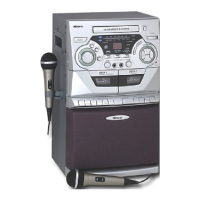
Memorex MKS5620 - User Manual

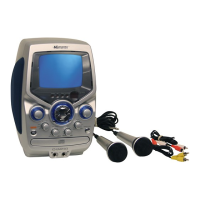
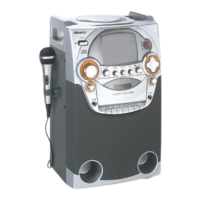
Memorex MKS5620
21 pages
Print Icon
To Next Page IconTo Next Page
Loading...
Before operating this product,
please read these instructions completely.
User’s Guide
CD/CD+G Karaoke
System with
Cassette Recorder
and B&W Monitor
MKS5620
MKS5620.O/M.QXD 7/2/03 9:15 AM Page 21

Questions and Answers

  • S
    Seth JonesAug 18, 2025
    Why do I hear feedback when singing on my Memorex MKS5620 Karaoke System?
    • M
      marcia74Aug 19, 2025
      If you're experiencing feedback when singing with the Memorex Karaoke System, it might be because the microphone is too close to the unit or the microphone volume is set too high. Try moving the microphone further away or decreasing the microphone volume.
  • D
    Deborah SchmidtAug 21, 2025
    What to do if my Memorex MKS5620 has no sound?
    • B
      Benjamin BrownAug 21, 2025
      If you are not getting any sound from your Memorex Karaoke System, ensure the power cord is properly connected.
  • J
    Jon SmithAug 23, 2025
    How to fix CD skipping on Memorex MKS5620 Karaoke System?
    • R
      Robert MoodyAug 23, 2025
      If the CD skips while playing on your Memorex Karaoke System, the disc might be dirty or scratched. Try wiping the disc with a cloth or using another disc.
  • J
    Johnny DrakeAug 26, 2025
    How to fix CD player if it will not play on Memorex MKS5620 Karaoke System?
    • L
      Lacey MccarthyAug 26, 2025
      If the CD player on your Memorex Karaoke System will not play, make sure the CD is inserted correctly with the label side up.
  • A
    allensusanAug 28, 2025
    Why words do not appear on TV screen with Memorex MKS5620?
    • B
      Brian GillespieAug 28, 2025
      If the words do not appear on the TV screen when using your Memorex Karaoke System, ensure you are using a CD+G disc and that the connections to the TV are properly set up.
  • C
    Christina PittmanAug 30, 2025
    What to do if vocals still present when AUTO VOCAL is off on Memorex MKS5620 Karaoke System?
    • R
      rbondAug 30, 2025
      If you are still hearing some vocals even when the AUTO VOCAL feature is turned off on your Memorex Karaoke System, it is likely because you are not using a CD+G disc. Make sure to use CD+G discs for the vocal removal feature to work correctly.
  • H
    Holly StevensonSep 1, 2025
    Why is the sound distorted on playback with my Memorex Karaoke System?
    • M
      Misty HernandezSep 1, 2025
      If you are experiencing distorted sound on playback with your Memorex Karaoke System, the tape might be defective, or the tape head could be dirty. Try replacing the tape or cleaning the tape head.
  • J
    joselyonsSep 4, 2025
    How to fix Memorex MKS5620 if it will not record?
    • D
      Donna JohnsonSep 4, 2025
      If your Memorex Karaoke System is not recording, check if the erase prevention tab has been removed from the cassette. If it has, cover the hole with adhesive tape.
  • N
    Nicholas RoseSep 6, 2025
    Why is the sound distorted on my Memorex Karaoke System?
    • M
      Michelle MccallSep 6, 2025
      If the sound from your Memorex Karaoke System is distorted, the head may be dirty. Try cleaning the head.
  • T
    taylor93Sep 8, 2025
    Why does the speed vary on my Memorex Karaoke System?
    • C
      Catherine JonesSep 9, 2025
      If the speed of your Memorex Karaoke System varies, the cassette might be old. Try replacing it with a new one.

Summary

Safety Instructions

Operation

Microphone and Audio Controls

Details on connecting microphones, adjusting volume, tone, balance, echo, and auto vocal controls.

Playing Cassette Tapes

Instructions for playing cassette tapes on the unit, including basic playback controls.

Playing Compact Discs

Procedure for playing CDs, including power-on, disc insertion, and basic playback controls.

CD Playback Operations

Details on CD pause control, selecting specific tracks, and fast forward/rewind search.

CD Repeat and Program Modes

Instructions for setting up track repeat playback and programming custom playback sequences for CDs.

Recording Audio

Steps for recording audio from a microphone or CD+G disc onto a cassette tape.

Playing CD+G Karaoke

Guide to playing CD+G discs, using karaoke features, and understanding disc information.

CD+G Display Adjustments

How to adjust V-HOLD, BRIGHTNESS, and CONTRAST for optimal CD+G monitor display.

Care and Maintenance

Caring for Compact Discs

Guidelines for handling, cleaning, and storing compact discs to ensure longevity and performance.

Safeguarding Cassettes

Instructions on preventing accidental erasure of cassette tape recordings using erase prevention tabs.

Cassette Tape Recommendations

Advice on suitable cassette tape lengths and quality for optimal recording and playback.

Cleaning the Unit

Procedures for safely cleaning the unit, including tape heads, capstan, and pinch roller.

Troubleshooting Guide

Specifications

Memorex MKS5620 Specifications

General IconGeneral
TypeKaraoke System
BrandMemorex
ModelMKS5620
Microphone Inputs2
Microphones2 Wired Microphones Included
BluetoothYes
CD PlayerYes
USB PortYes
Echo ControlYes
Disc CompatibilityCD, CD+G
AVC (Auto Voice Control)Yes
DisplayLED Display
Karaoke FeaturesEcho
Audio OutputRCA audio output
Power SourceAC Power
Speaker Size5.25 inches

Related product manuals