EasyManua.ls Logo

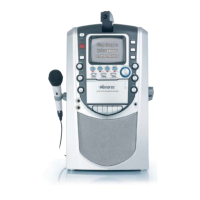
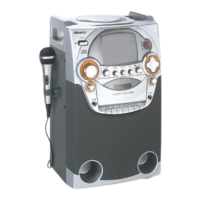
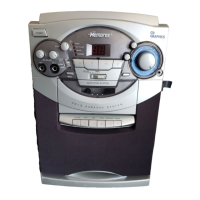
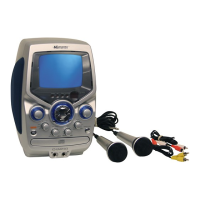
Memorex MKS8501 User Manual

Memorex MKS8501
18 pages
To Next Page IconTo Next Page
Page #1 background imageLoading...
Page #1 background image
Before operating this product,
please read these instructions completely.
User’s Guide
CD/CD+G
Karaoke System
with B&W Monitor
MKS8501
MKS8501.O/M.QXD 6/30/03 12:18 PM Page 18

Questions and Answers:

Memorex MKS8501 Specifications

General IconGeneral
BrandMemorex
ModelMKS8501
CategoryKaraoke System
LanguageEnglish

Summary

FCC Information and Compliance

Safe Listening Practices

Safety Instructions

Electrical and Fire Safety

Covers risks from power, liquids, heat, and overloading to prevent shock or fire.

Environmental and Placement Precautions

Guidelines for product placement near water, ventilation, and outdoor antenna connections.

Handling, Servicing, and Product Integrity

Instructions on product care, cleaning, attachments, servicing, and damage reporting.

Control Panel and Jack Layout

Front Panel Controls

Identifies and describes the buttons, screen, and indicators on the front of the unit.

Rear Jack Panel Connections

Details the audio and video input/output jacks located on the rear of the unit.

Power Source Requirements

Optional TV and Stereo Connections

Connecting External TV for CD+G Lyrics

Guide to connecting the karaoke system to a TV to display CD+G lyrics and graphics.

Audio Output Options

Explains how to listen to sound through built-in speakers, TV speakers, or a home stereo system.

Connecting External Audio Units

Connecting External Video Units

Karaoke Operation Basics

Microphone and Vocal Controls

Explains controls for microphone volume, echo, and automatic vocal adjustment.

Playing Standard Compact Discs

Normal CD Playback Procedure

Step-by-step guide for playing a CD in normal mode, including power, play, and stop operations.

CD Playback Control Functions

CD Pause and Specific Track Playback

How to pause playback, resume, and select a specific track on a CD.

CD Skip and Music Search

Instructions for skipping tracks forward/backward and high-speed music searching.

CD Repeat and Programmed Playback

CD Repeat Playback Options

How to set the unit to repeat a single track or all tracks on a CD.

Setting Up Programmed CD Playback

Guide to programming a sequence of tracks for playback in a desired order.

Advanced CD Playback Features

Executing and Managing Programmed Playback

Steps to start programmed playback, cancel it, and check programmed tracks.

Programmed Repeat Functionality

How to combine program and repeat functions for continuous playback of programmed tracks.

Playing CD+G Karaoke Discs

CD+G Karaoke Disc Setup

Instructions for inserting CD+G discs, microphones, and monitor settings for karaoke.

Understanding CD+G Discs

Information on how CD+G discs store lyrics and vocals, and how to select songs.

Preventing Microphone Feedback

Advice on avoiding howling or screeching sounds from the microphone.

CD+G Display Adjustments

CD+G Display Adjustments

How to adjust V-HOLD, brightness, and contrast for CD+G display.

Compact Disc Care and Maintenance

Compact Disc Care and Maintenance

Guidelines for handling, cleaning, and storing compact discs to prevent damage.

Troubleshooting Common Issues

CD Player and General Problems

Solutions for discs not playing, skipping, or no sound from the unit.

Karaoke Performance Issues

Troubleshooting feedback, incorrect vocals, and missing lyrics on screen.

Product Specifications Overview

General and Cassette Specifications

Details on power source, speaker, dimensions, weight, and cassette tape performance.

CD Section Specifications

Technical details for the CD player, including disc diameter and optical source.

Related product manuals