EasyManua.ls Logo

Memorex MKS8590 User Manual

Memorex MKS8590
23 pages
To Next Page IconTo Next Page
Page #1 background imageLoading...
Page #1 background image
Before operating this product,
please read these instructions completely.
User’s Guide
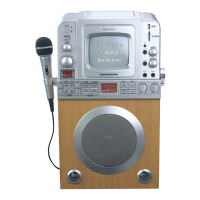
Karaoke/Audio Recording System
with 5.5” B&W Monitor, USB Jack &
SD/MMC Memory Card Slot
MKS8590

Other manuals for Memorex MKS8590

Questions and Answers:

Memorex MKS8590 Specifications

General IconGeneral
BrandMemorex
ModelMKS8590
CategoryKaraoke System
Microphones2
Microphone Inputs2
ConnectivityBluetooth, USB
Disc compatibilityCD, CD+G
InputsUSB, Auxiliary
Karaoke FeaturesEcho Control

Summary

Safety and Compliance Information

General Safety Warnings

Provides warnings on electric shock, laser radiation, and general handling precautions.

Regulatory Compliance and Notices

Details FCC, Canadian ICES-003 compliance, and surge protector recommendations.

Safe Listening Practices

Establishing Safe Volume Levels

Guide on setting audio volume to prevent hearing damage and ensure clear sound.

Understanding Sound Levels

Lists decibel levels for various environments and dangerous noise exposure limits.

Comprehensive Safety Instructions

Operating and Installation Safety

Covers general safety rules for product operation, cleaning, and installation.

Electrical Safety and Grounding

Details power source, polarization, lightning protection, and antenna grounding requirements.

Servicing and Hazard Prevention

Advises on qualified servicing, replacement parts, damage checks, heat, and CATV installation.

Location of Controls

Front Panel Controls and Indicators

Identifies all buttons, jacks, and indicators on the front of the unit.

Rear Panel Connections and Controls

Details all input/output jacks and controls located on the rear of the unit.

Power and External Connections

AC Power Requirements

Specifies the AC power source and plug requirements for safe operation.

Connecting to External TV for CD+G

Explains how to connect the unit to an external TV to display CD+G graphics.

Advanced External Connections

Mono TV and Stereo System Hookups

Details connections for mono TVs using a Y-adapter and for home stereo systems.

Operation: Basic Functions

Microphone and Headphone Usage

Instructions for connecting microphones, headphones, and using echo/vocal controls.

Monitor and Vocal Controls

How to use the monitor switch, Vocal Auto, and adjust vocal channel balance.

Operation: CD Playback

Normal CD Playback Steps

Step-by-step guide to playing a standard CD, including power and basic controls.

Playback Controls and Completion

Details on using STOP, PLAY/PAUSE, and opening the compartment after playback.

Operation: CD Navigation

CD Pause and Resume Playback

How to pause playback and resume it later.

Selecting Specific Tracks

Instructions for choosing and playing a particular track from a CD.

Skipping and Fast Music Search

Methods for skipping tracks forward/backward and high-speed music search.

Operation: CD Playback Modes

Repeat Playback Functionality

How to repeat a single track or all tracks on a CD.

Programmed CD Playback Setup

Guide to programming up to 19 tracks for custom playback order.

Operation: Programmed Playback Control

Configuring Programmed Playback

Steps to select tracks and program them for playback.

Programmed Repeat Functionality

How to combine programmed playback with repeat functionality.

Operation: CD+G Karaoke

Playing CD+G Karaoke Discs

Instructions for inserting CD+G discs, connecting mics, and starting playback.

CD+G Specific Features

Using Vocal Auto, adjusting mic volume, echo, and understanding CD+G indicators.

Operation: Musical Accompaniment

Playing Along with Guitar and Keyboard

How to connect and play along using a guitar or keyboard.

Understanding CD+G and Feedback

Information on multiplex recordings, lyrics display, and preventing microphone feedback.

Operation: MP3/WMA and USB/SD Card

Playing MP3/WMA Files

Guide to playing music files from USB drives or SD/MMC cards.

USB and SD/MMC Card Navigation

Using DIR, SKIP/SEARCH, and PLAY/PAUSE buttons for file playback.

Operation: USB/SD Card Playback Controls

USB/SD Card Pause and Resume

How to pause and resume playback of files from USB/SD cards.

Selecting Files and Folders

Navigating folders and selecting specific files for playback.

File Skipping and Search

Using SKIP/SEARCH for track advancement and high-speed search.

Operation: USB/SD Card Management

Repeat Playback for Files

How to repeat a single file or all files from a USB/SD card.

Deleting Files from Storage

Steps to delete files from connected USB or SD/MMC memory cards.

Operation: Recording Features

Manual and Sync Recording

Instructions for manually recording audio and using record sync features.

Recording Notes and File Limits

Important notes on stopping recording, file naming, and storage limits.

Connecting Multiple USB Devices

Guidance on connecting multiple memory devices to the USB jack.

Operation: Picture Adjustment

Adjusting V-Hold and Contrast

How to adjust vertical hold and contrast for optimal picture display.

Adjusting Brightness

Instructions for adjusting the brightness for clear picture visibility.

Care and Maintenance

Caring for Compact Discs

Guidelines for handling, cleaning, and storing compact discs to prevent damage.

Cleaning the Unit Exterior

Instructions for safely cleaning the exterior of the karaoke unit.

Troubleshooting Guide

CD Player Troubleshooting

Solutions for issues like player not playing or skipping CDs.

General and Karaoke Issues

Addresses sound problems, feedback, and CD+G display issues.

USB/SD Card and Recording Problems

Troubleshooting for external device playback and recording errors.

Specifications

General Unit Specifications

Details power source, speaker, dimensions, weight, and output power.

CD and Media Card Specifications

Lists specifications for CD playback and supported file formats for USB/SD cards.

Related product manuals