OPERATION (CONTINUED)
18
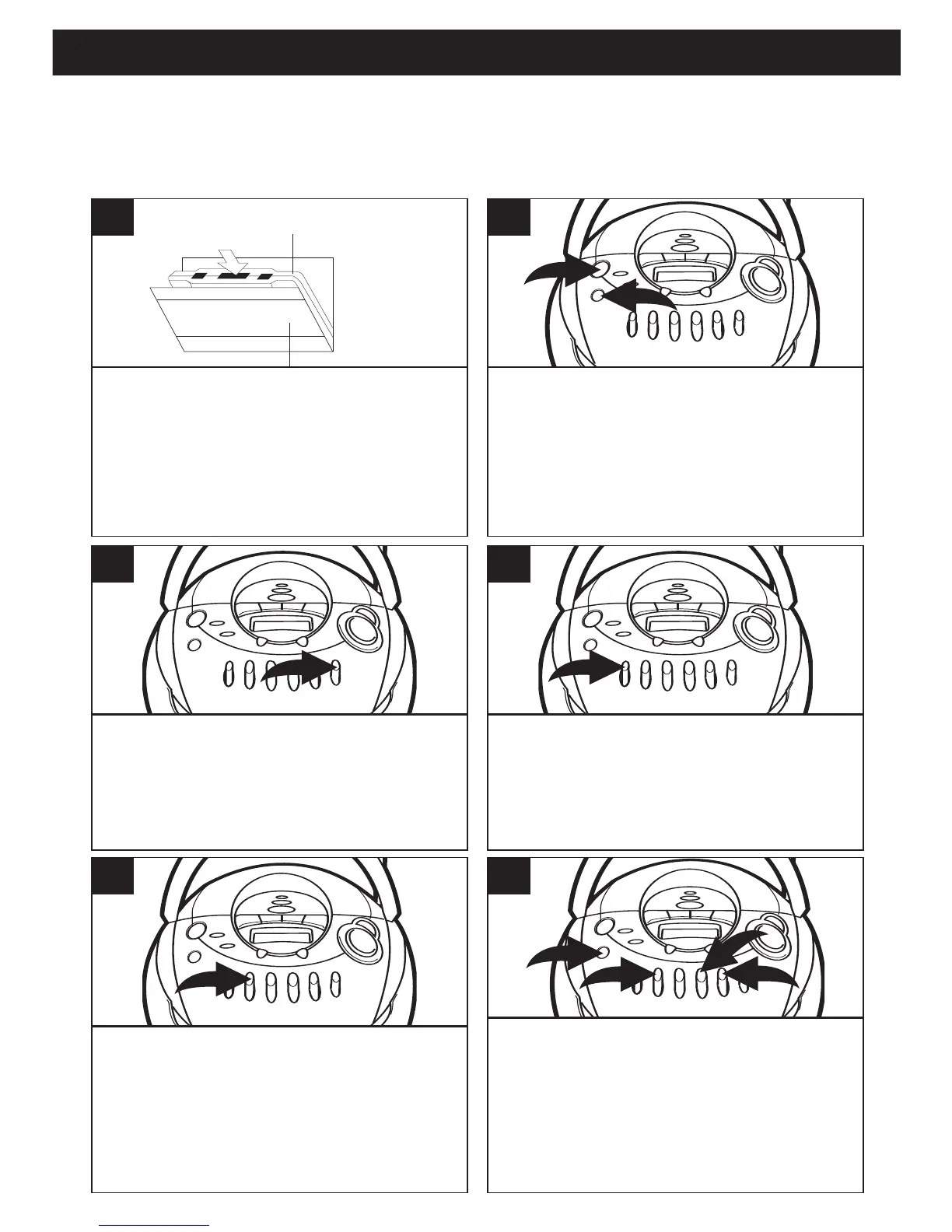
Open the cassette door and insert a
good quality blank cassette tape into
the slots on the door, with the open
end facing up and the full reel on the
right side. Close the cassette door.
1
Press the POWER button 1 to turn
the unit on. Press the FUNCTION
button 2 repeatedly to select the
function you wish to record, either CD
or Radio, and operate that function
according to its own instructions.
2
When you are ready to begin recording,
press the RECORD
(Q) b
utton. The PLAY
(
Ã) button will also engage. The tape will
begin moving and all of the material from your
selected source will be recorded on the tape.
3
To avoid recording unwanted material,
such as radio commercials, use the
PAUSE (p) button to stop the recording
temporarily. Release the PAUSE (
p)
button to begin recording again.
4
When you are finished recording,
press the STOP/EJECT (
■) button to
stop the tape.
5
If you wish to listen to your recording immedi-
ately, press the cassette REWIND (
¨¨) but-
ton
1 until the tape rewinds to the beginning,
then press the STOP/EJECT (
■) button 2.
Press the FUNCTION button
3 to select TAPE
then press the PLAY (
Ã) button 4 to begin play-
back.
6
MAKING A TAPE RECORDING
This unit allows you to make direct recordings from the radio or CD player to a blank cas-
sette. An automatic recording volume level control (ALC) circuit will automatically control
the volume level of your recordings to prevent distortion.



 To Next Page