OPERATION
8
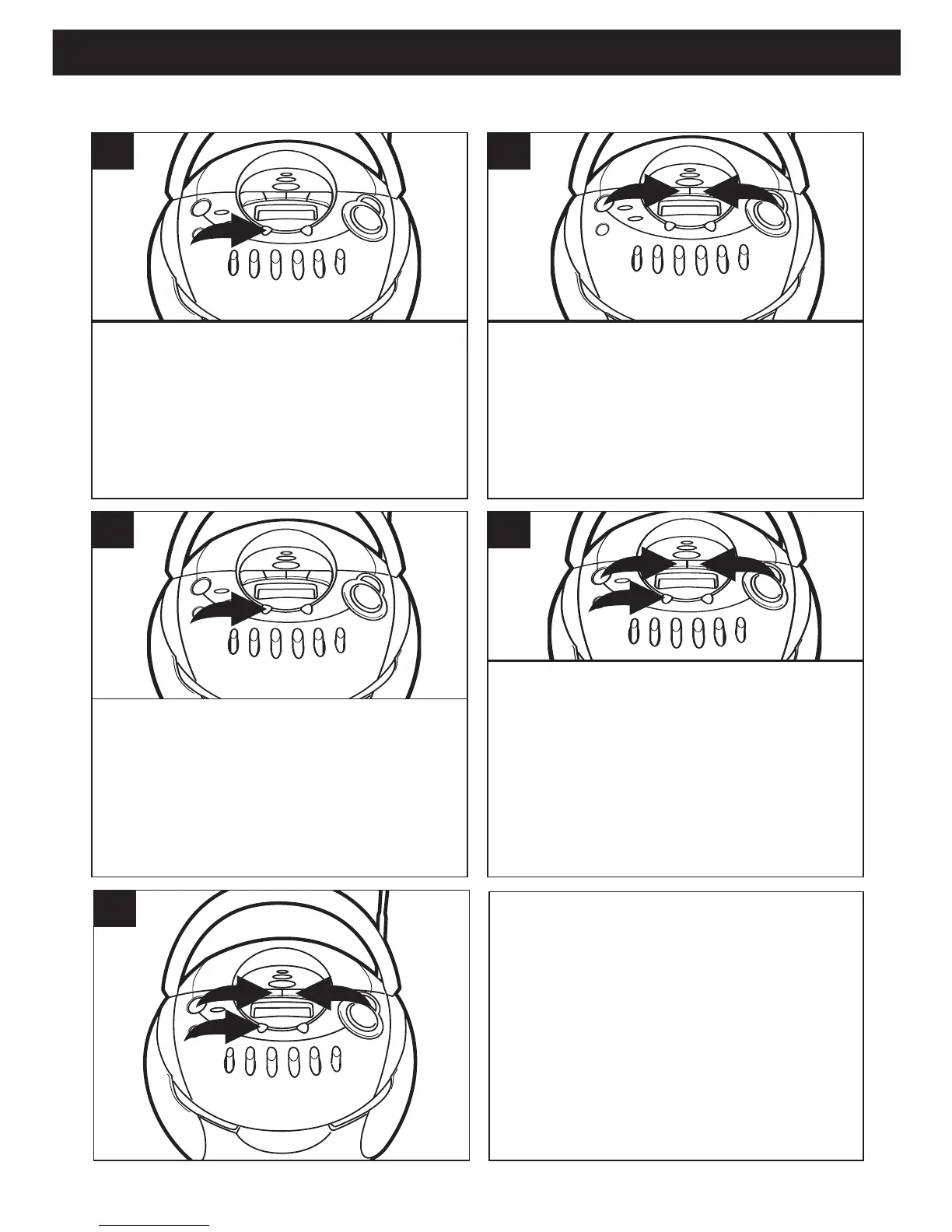
With the power off, press the
PRESET/MEM/CLOCK SET button;
“12 H” will blink.
1
Press the Tune/Skip/Search o 1 or n
2 button to set the unit to the 24 hour
(24 HOUR) mode (also known as
military time), or 12 hour (12 HOUR)
mode.
2
Press the PRESET/MEM/ CLOCK
SET button and the hours will blink.
3
Press the Tune/Skip/Search o 1 or n 2
button to set the current hour, then press
the PRESET/MEM/CLOCK SET button
3 again; the minute digits will blink. If you
selected 12H time display be sure to
observe the AM or PM indicators to make
sure you have set the hour correctly.
5
SETTING THE CLOCK
Press the Tune/Skip/Search n 1 or
o 2 button to set the current minute.
Press the PRESET/MEM/CLOCK
SET button ❸ and the time will be set.



 To Next Page