EasyManua.ls Logo

Memorex MT2245 - DVD Connections; DVD Connection Methods

Memorex MT2245
39 pages
Print Icon
To Next Page IconTo Next Page
To Previous Page IconTo Previous Page
Loading...
16
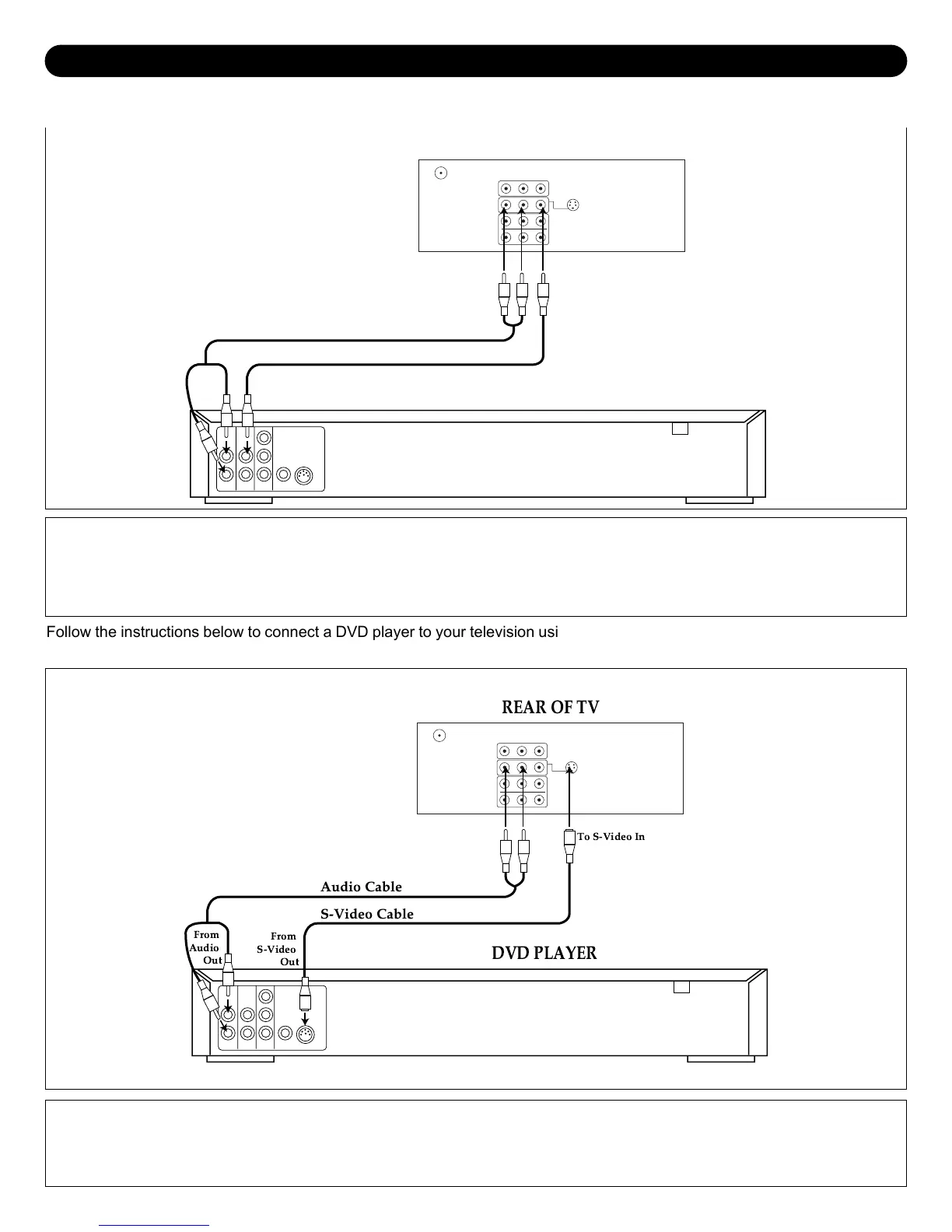
DVD CONNECTIONS
1. Connect the left and right audio cable from the DVD’s Audio OUT jacks to the TV’s AV1 or AV2 left and right Audio IN
jacks. Connect the DVD’s video OUT jack to the TV’s video IN jack.
2. Press the AV button until VIDEO1 or VIDEO2 appears on the TV screen and press PLAY on the DVD to watch a DVD.
Audio Cable
Video Cable
From
Video Out
From
Audio
Out
To
Audio In
To
Video In
DVD PLAYER
REAR OF TV
Follow the instructions below to connect a DVD player to your television using Audio/Video cables. (CABLES NOT
INCLUDED.)
1. Connect the left and right audio cable from the DVD’s Audio OUT jacks to the TV’s AV1 left and right Audio IN jacks.
2. Connect the DVD’s S-VIDEO OUT jack to the TV’s S-VIDEO IN jack.
3. Press the AV button until VIDEO1 appears on the TV screen and press PLAY on the DVD to watch the DVD.
Audio Cable
S-Video Cable
From
S-Video
Out
From
Audio
Out
To S-Video In
REAR OF TV
DVD PLAYER
Follow the instructions below to connect a DVD player to your television using the S-Video cable. (CABLES NOT INCLUDED.)

Other manuals for Memorex MT2245

Related product manuals