EasyManua.ls Logo

Memorex MT2245 - Changing the Password

Memorex MT2245
39 pages
Print Icon
To Next Page IconTo Next Page
To Previous Page IconTo Previous Page
Loading...
32
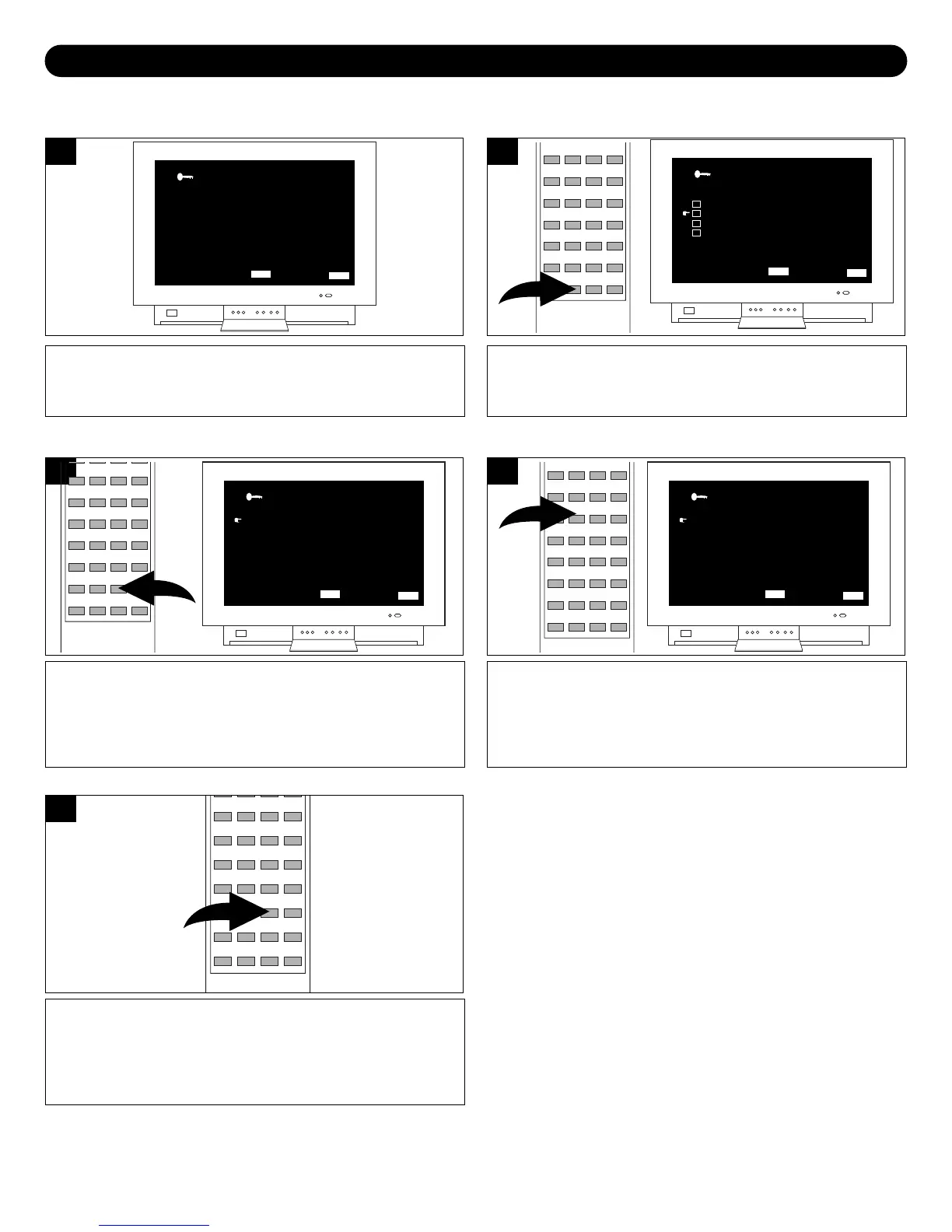
Enter the PARENTAL BLOCK menu screen as described
on page 28.
ENTER SECRET CODE
_ _ _ _
PARENTAL CONTROL
MENU BAR QUIT
MENU
EXIT
CUSTOM
1
Press the Navigation () button and select CHANGE
SECRET CODE. Preset code is set to “0000”.
MPAA RATING
TV PARENTAL GUIDELINES
CANADIAN ENGLISH RATING
CANADIAN FRENCH RATING
CHANGE SECRET CODE
BLOCK ON
PARENTAL CONTROL
MENU BAR QUIT
MENU
EXIT
CUSTOM
2
1
While CHANGE SECRET CODE is selected, press the
Navigation () button.
NEW SECRET CODE - - - -
CONFIRM - - - -
MPAA
RATING SYSTEM
MENU BAR QUIT
MENU
EXIT
CUSTOM
3
1
Press the EXIT button to exit.
5
Using the Direct Channel Selection buttons, enter the new
secret code, and then confirm the new code again.
NEW SECRET CODE X X X X
CONFIRM X X - -
MPAA
RATING SYSTEM
MENU BAR QUIT
MENU
EXIT
CUSTOM
4
CHANGING THE PASSWORD
SETTING PARENTAL CONTROL (CONTINUED)

Other manuals for Memorex MT2245

Related product manuals