ADDING AND DELETING CHANNELS
21
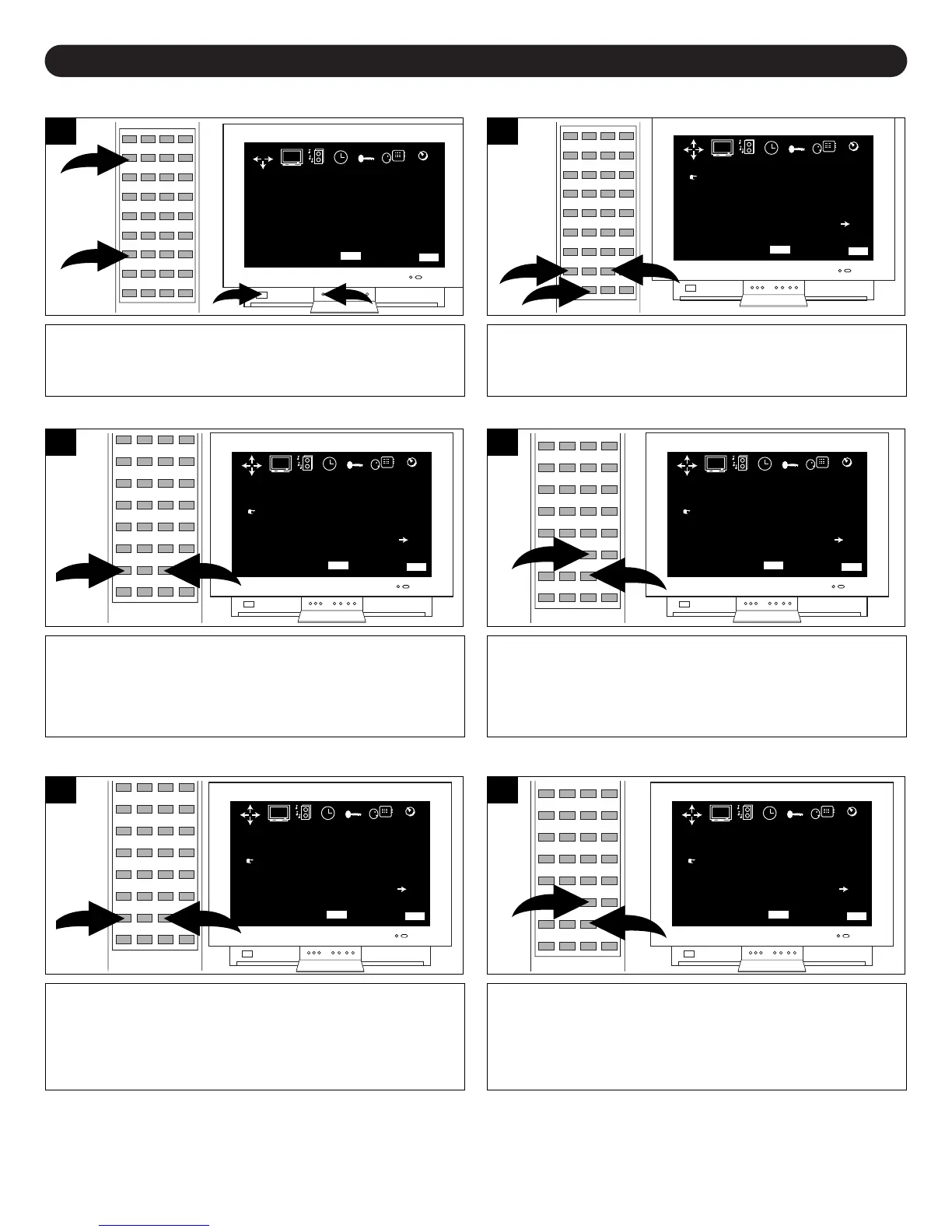
After setting channels into memory, you can add or delete channels as follows:
Press the POWER button ❶ to turn on the TV. Press the
MENU button ❷; the MENU screen will appear.
2
1
COLOR
BRIGHTNESS
CONTRAST
SHARPNESS
TINT
BLUE BACK
39
72
60
62
+24
OFF
MENU BAR QUIT
MENU
EXIT
PICTURE SOUND TIMER CUSTOM
LANGUAGE
TUNING
Press the Navigation (➛) or (❿) button ❶ until TUNING is
selected, then scroll down using the Navigation (❷) button
❷ and select CHANNEL.
PICTURE SOUND TIMER CUSTOM
LANGUAGE
TUNING
CHANNEL
TV/CABLE
ADD/ERASE
MANUAL
FINE
AUTO MEMORY
56
STD
ADD
UP
-1
MENU BAR QUIT
MENU
EXIT
Press the Navigation (➛) or (❿) button to select a channel
to be added. If a channel is already memorized, “ADD” will
appear next to the ADD/ERASE option. If a channel is not
memorized, “ERASE” will appear.
PICTURE SOUND TIMER CUSTOM
LANGUAGE
TUNING
CHANNEL
TV/CABLE
ADD/ERASE
MANUAL
FINE
AUTO MEMORY
56
STD
ERASE
UP
-1
MENU BAR QUIT
MENU
EXIT
3a
When a channel is selected and ERASE appears next to
the ADD/ERASE option, press the Navigation (❿) button ❷
to add the channel. Press the EXIT button ❶ to exit the
Tuning screen.
PICTURE SOUND TIMER CUSTOM
LANGUAGE
TUNING
CHANNEL
TV/CABLE
ADD/ERASE
MANUAL
FINE
AUTO MEMORY
56
STD
ADD
UP
-1
MENU BAR QUIT
MENU
EXIT
4a
TO ADD A CHANNEL
Press the Navigation (➛) or (❿) button to select a channel
to be added. If a channel is already memorized, “ADD” will
appear next to the ADD/ERASE option. If a channel is not
memorized, “ERASE” will appear.
PICTURE SOUND TIMER CUSTOM
LANGUAGE
TUNING
CHANNEL
TV/CABLE
ADD/ERASE
MANUAL
FINE
AUTO MEMORY
56
STD
ADD
UP
-1
MENU BAR QUIT
MENU
EXIT
3b
When a channel is selected and ADD appears next to
ADD/ERASE option, press the Navigation (❿) button ❷ to
erase the channel. Press the EXIT button ❶ to exit the
Tuning screen.
PICTURE SOUND TIMER CUSTOM
LANGUAGE
TUNING
CHANNEL
TV/CABLE
ADD/ERASE
MANUAL
FINE
AUTO MEMORY
56
STD
ERASE
UP
-1
MENU BAR QUIT
MENU
EXIT



 To Next Page