27
ENGLISH
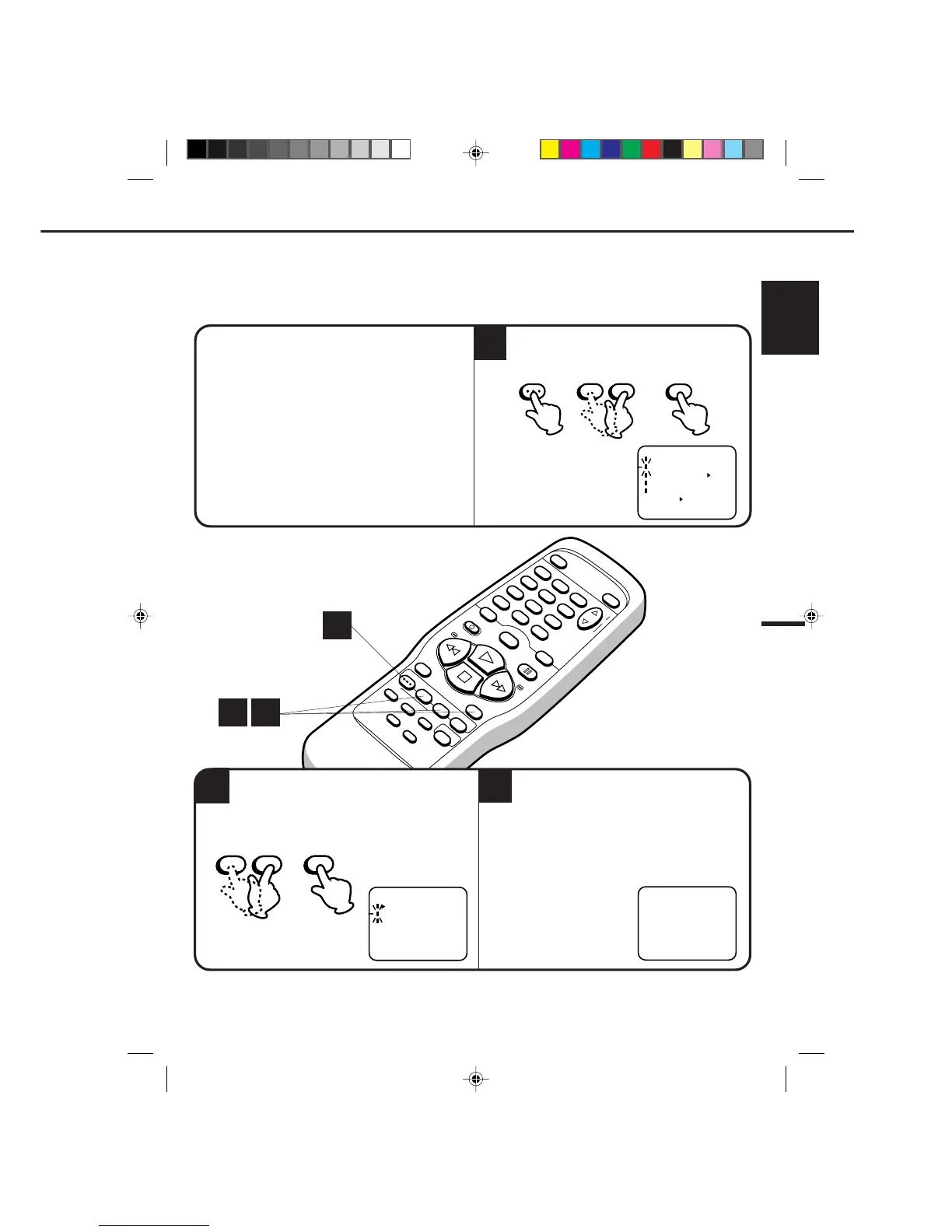
AUTOMATIC MEMORY TUNING
POWER
EJECT
TV/VCR
COUNTER RESET
INPUT SELECT
REC/OTR
SLOW
SPEED
MENU
–+
–
+
SET
SKIP
SEARCH
CLOCK/
COUNTER
–+
TRACKING
AUTO
CANCEL
ENTER
STOP
PLAY
F.FWD
REW
TIMER REC
PAUSE/STILL
CHANNEL
CALL
1
2
3
456
78
0
9
5
2
The auto tuning will start. The channel display
will count up and when finished, the screen
returns to normal.
1
1
–+
SET
MENU
ENTER
Press the MENU button.
Press the SET + or – button to select the CH
SET UP option, then press the ENTER button.
CHECK BEFORE YOU BEGIN
•Turn ON the TV and set to the video channel 3 or 4.
•Turn ON the VCR POWER button.
•Press the TV/VCR selector button to select the VCR
mode.
When a TV is connected with an audio/video cable,
turn the TV and this VCR on, and select the video
input mode on the TV.
Your VCR can receive a maximum of 181 channels by presetting the channels into memory.
3
Press the SET + or – button to select the AUTO
CH MEMORY mode, then press the ENTER
button.
〈
+
/
–
/ENTER/MENU
〉
CH SET UP
TV CATV
AUTO CH MEMORY
ADD/DELETE



 To Next Page