38
POWER
EJECT
TV/VCR
COUNTER RESET
INPUT SELECT
REC/OTR
SLOW
SPEED
MENU
–+
–
+
SET
SKIP
SEARCH
CLOCK/
COUNTER
–+
TRACKING
AUTO
CANCEL
ENTER
STOP
PLAY
F.FWD
REW
TIMER REC
PAUSE/STILL
CHANNEL
CALL
1
2
3
456
78
0
9
Timer recording can be programmed on-screen with the remote control. The built-in timer allows automatic
unattended recording of up to 8 programs within 1 month.
NOTE:
Turn on the TV and set to the video channel 3 or 4.
Press the TV/VCR selector button to select the VCR
mode.
Load a video cassette with the erase prevention tab
intact. The VCR will automatically turn on.
Check that the clock and date are correct (see page
25).
•
•
•
•
CHECK BEFORE YOU BEGIN
2
SETTING THE TIMER RECORDING
When a TV is connected with an audio/video cable,
turn the TV and this VCR on and select the video
input mode on the TV.
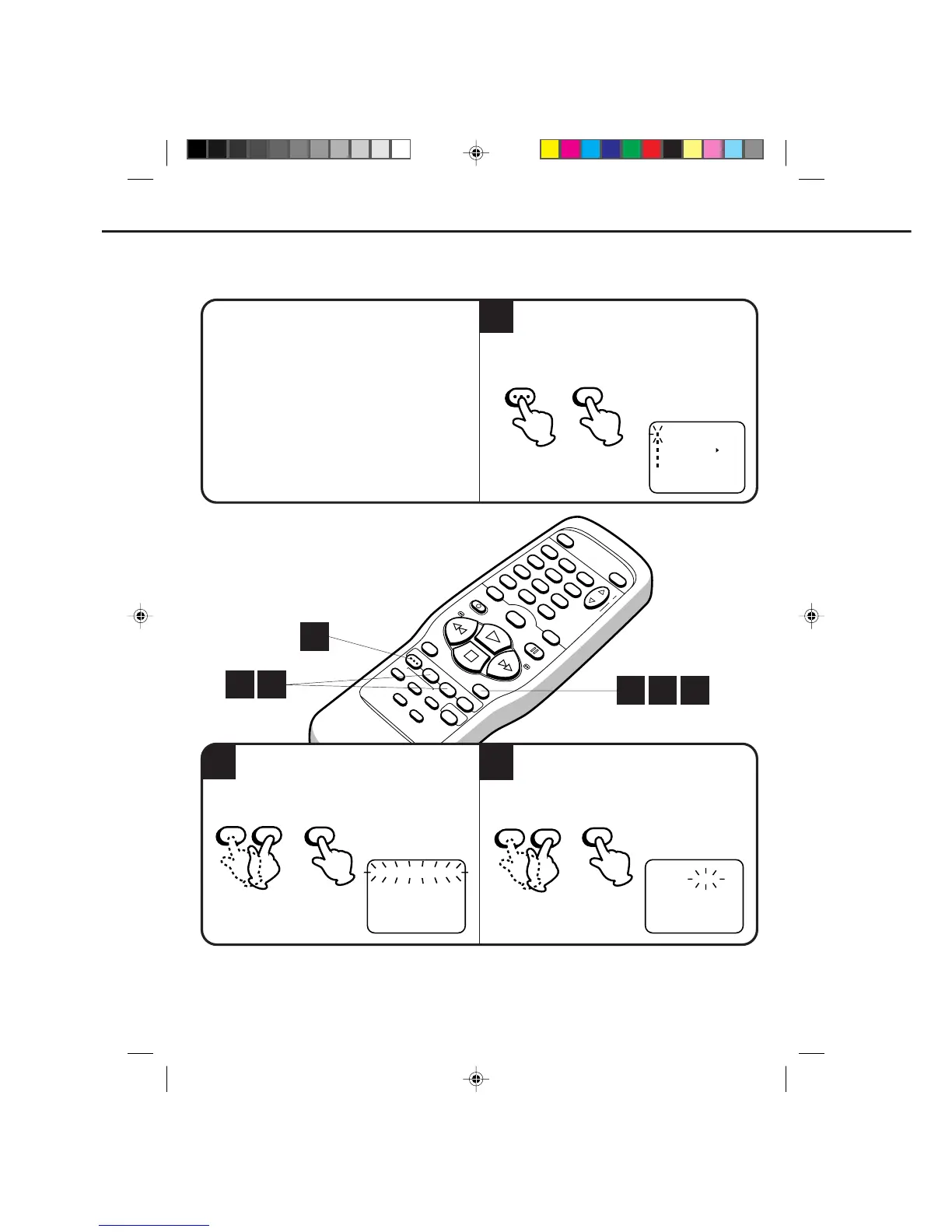
EXAMPLE: Program a timer recording for the 26th day, channel 125 (CATV), 11:00 - 11:30 PM on timer program
number 1. (Tape speed: SLP)
3
Press the SET + or – button to select the date,
then press the ENTER button.
1
To set the timer for other programs, press the MENU button. Check that the TIMER REC SET option is
selected, then press the ENTER button. Press the SET
+ or – button until the next program blinks, then
press the ENTER button. Repeat steps 3 to 4 to set the second program.
32
321
1
Press the MENU button. Check the TIMER REC
SET option is selected, then press the ENTER
button.



 To Next Page