11
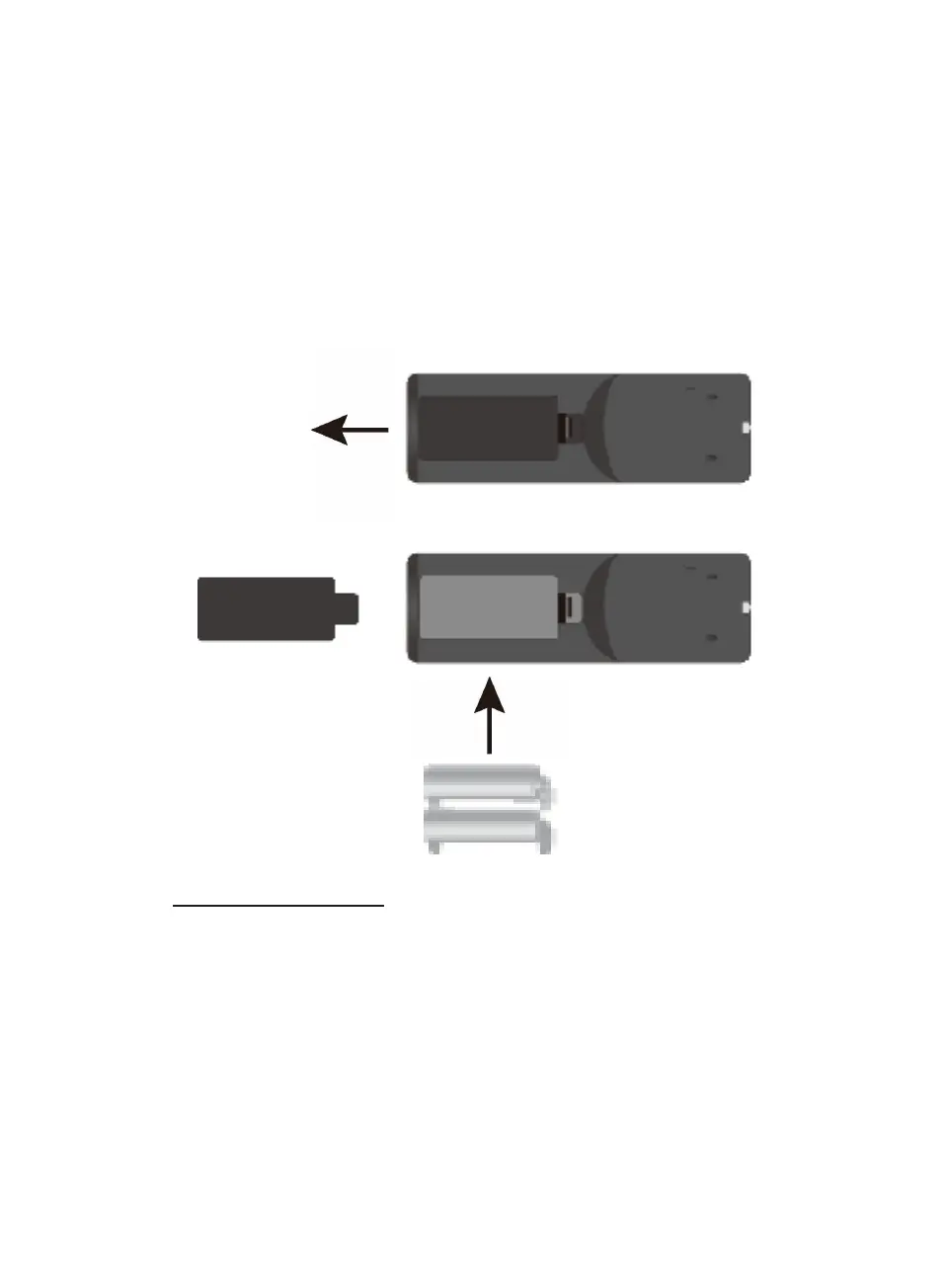
z Open the battery door on the bottom of the remote control by press the tab and
then lifting it as illustrated below.
z Insert two (2) AAA size batteries (not included) according to the polarity diagram
in side the battery compartment. (Alkaline batteries are recommended.)
z Replace the battery door.
BATTERY PRECAUTIONS:
Follow these Battery Precautions when using a battery in this device:
1. Use only the size and type of battery specified.
2. Be sure to follow the correct polarity when installing the battery as indicated in the
battery compartment. A reversed battery may cause damage to the device.
3. Do not mix different types of batteries together (e.g. Alkaline and Carbon-zinc) or
old batteries with fresh ones.
4. If the batteries in the device are consumed or the device is not to be used for a
long period of time, remove the batteries to prevent damage or injury from
REMOTE CONTROL:
First time use:
+
_
_
+












 To Next Page